
Let’s be honest: the hardest part about claiming Real Estate Professional Status (REPS) or qualifying for the Short-Term Rental (STR) loophole isn’t doing the work. It’s proving that you did it.
You can put in 750+ hours managing your properties, but if the IRS ever decided to audit you and all you have is a half-filled spreadsheet and a bunch of calendar invites, that’s not going to cut it.
That’s why proper time tracking is the foundation of a successful REPS or STR tax strategy. In this post, we’re going to break down what to track, how to track it, what the IRS expects to see—and we’ll give you a free time log template to get started.
But we’ll also show you why, at a certain point, it makes sense to ditch the spreadsheet and upgrade to something built for this exact job.
Why You Need to Track Hours for REPS and STR
The IRS doesn’t hand out tax breaks on the honor system. If you’re claiming REPS to deduct rental losses against your W-2 or business income—or using the STR loophole to treat short-term rental losses as non-passive—you need to prove material participation.
For REPS:
- You need to spend 750+ hours on real property trades or businesses, and
- You must spend more than 50% of your total working time on real estate activities
For STR loophole:
- You don’t need REPS, but you still need to prove material participation in your rental activity, using one of the IRS’s seven material participation tests (see IRS guidance).
Most STR investors qualify under:
- Test 1 -500 hours of participation, or
- Test 3 -100 hours and more than anyone else involved.
Under this test, you need to show that no other person—like your cleaner, co-host, or property manager—spent more time on the property than you did. That means tracking not only your own hours but theirs too.
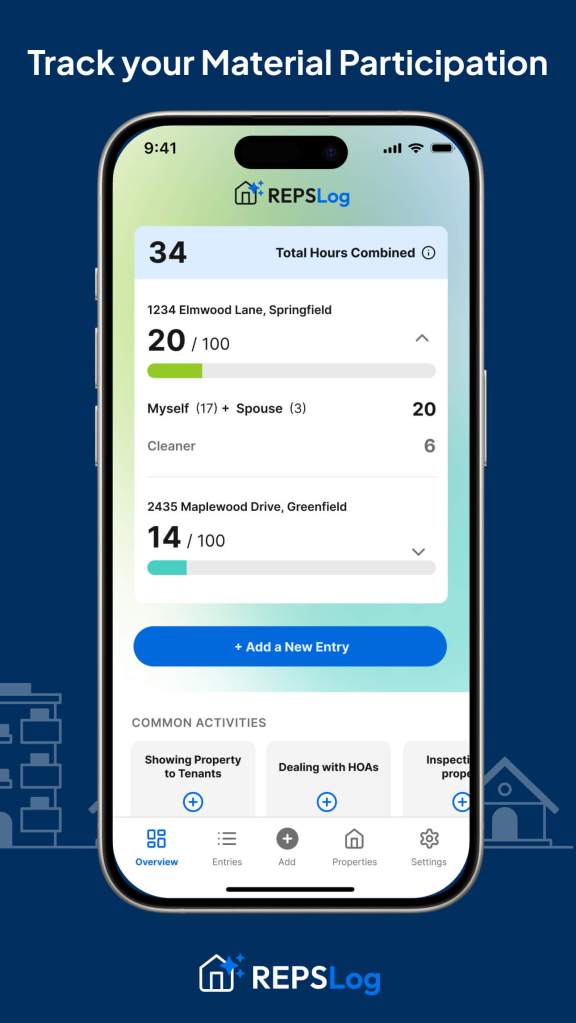
Tip: With the REPSLog App, you can add participants to each property, log their hours separately, and see a running total—so you always know where you stand.
What the IRS Expects in an Audit
The IRS doesn’t just want to see that you worked—they want to see when, how long, and on what.
If you’re audited, the IRS may request contemporaneous logs. That means:
- Dated entries (ideally time-stamped)
- Duration of each task (e.g. 1.5 hours)
- A short description (e.g. “Managed guest check-in + answered questions”)
- Which property the work was tied to
- Who did the work (if you’re tracking for you and your spouse)
- Supporting evidence
What Is Supporting Evidence?
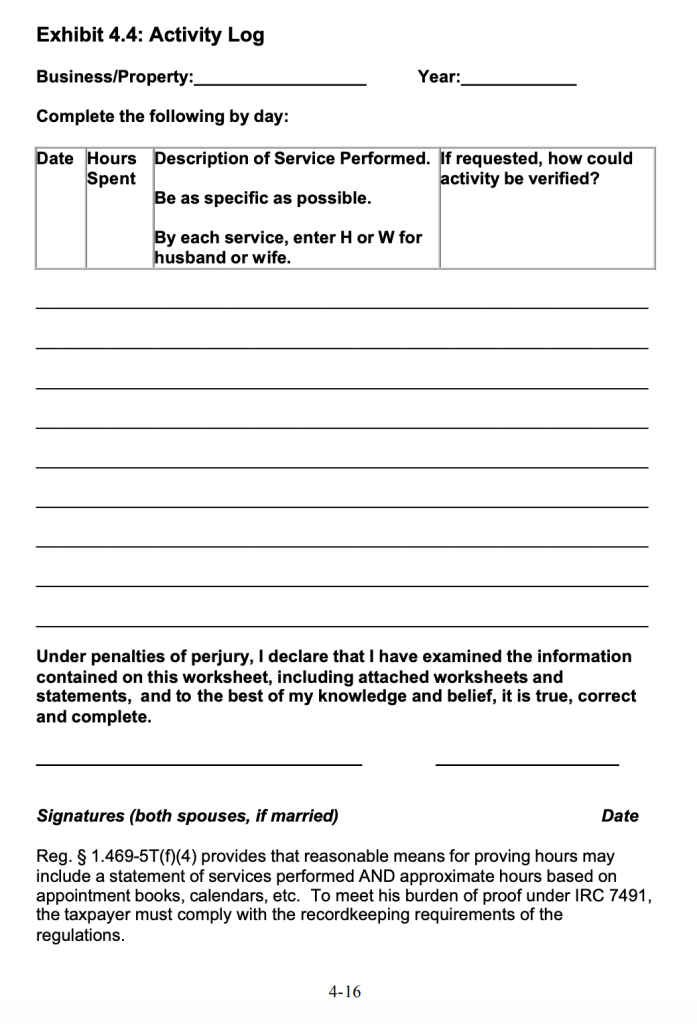
Supporting evidence is anything that proves the entry is real. The IRS has a specific column for this in their audit workbook: “If asked, how can this be confirmed?”
That could include:
- Email threads or messages
- Photos of the property work
- Receipts from supply purchases or maintenance
- Phone call logs
- Calendar entries with timestamps
How Long Can the IRS Audit You?
The IRS can typically audit returns up to three years from the filing date. But in some cases—especially when they suspect large errors or underreporting—they can go back up to six years. For fraud, there’s no limit.
What Are the Chances of Getting Audited?
For most taxpayers, the audit rate is low—less than 1%. But when you claim REPS or use the STR loophole to offset large amounts of active income, your chances increase significantly. Claims involving high losses against W-2 income tend to raise red flags.
What Can the IRS Rule Out?
Based on real audit examples, here’s what they’ve tossed:
- Vague logs: Entries like “worked on Airbnb” without detail were rejected in Dunn v. Commissioner due to lack of specificity.
- Education time: In Trzeciak v. Commissioner, time spent on real estate education was disallowed as it didn’t count towards material participation.
- Market research without clear property ties: The IRS has ruled out hours spent on general market research not directly linked to a specific property.
- Duplicate entries or estimated time blocks: In Kutney v. Commissioner, inconsistent time logs led to disqualification of claimed hours.
- Activities with no proof, no receipts, and no timestamps: The IRS requires contemporaneous records; lacking these, claimed hours can be disallowed.
For more detailed guidance on what counts (and what doesn’t), the IRS outlines these standards in their Passive Activity Loss Audit Guide (PDF).
See Exhibit 4.4 for an example of the kind of activity log they expect in an audit:
Free REPS/STR Time Tracking Example Log
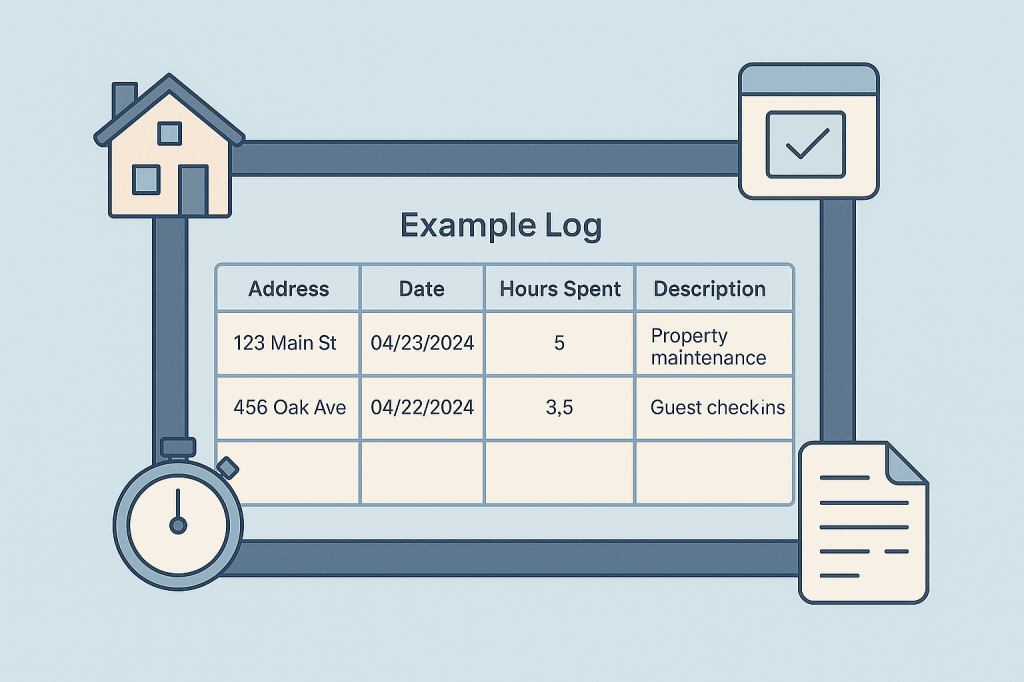
If you’re just starting out and want to keep it simple, here’s a basic format you can use in Google Sheets, or Excel:

Track total hours per property and participant—and make sure your logs are complete, detailed, and backed up.
If you’d like a spreadsheet version of this template, grab it here.
Why We Stopped Using Spreadsheets
Spreadsheets are fine when you have a handful of entries. But once you start scaling—or filing jointly with your spouse—they fall apart.
Here’s why:
- Mobile entry is clunky and slow
- You have to manually type the property address every time
- You can’t easily attach supporting docs like receipts, photos, or emails
- They’re hard to organize by participant or category
That’s why we built the REPSLog App.
It’s everything a spreadsheet wants to be, but optimized for REPS and STR investors.
- Just say or type what you did
- Click “Autofill with AI”
- It will automatically detect the property, date, time, category, and participant
You can also:
- Assign hours to you or your spouse
- Track hours toward REPS (750/500), STR (100/500)
- Log other participants’ hours—like cleaners or property managers
- Upload supporting evidence directly to each log
- Export a clean audit-ready report for your CPA or the IRS
- Access all features both on your mobile app (iOS+Android) and on the desktop web version- using any device.
If you’re serious about claiming REPS or using the STR loophole, you need bulletproof tracking. This is the fastest, easiest way to stay compliant.


What Counts Toward Your Hours
Whether you’re going for REPS or STR, the types of tasks that count are almost identical. The IRS wants to see hands-on involvement in real, operational activities.
Activities that count:
- Messaging guests or tenants
- Coordinating cleanings or repairs
- Setting pricing or managing bookings
- Shopping for supplies or staging units
- Managing contractors or vendors
- Overseeing renovations or walkthroughs
- Handling leasing paperwork or insurance
What doesn’t count:
- Listening to podcasts or reading about real estate
- Browsing Zillow without taking action
- Attending educational events
- Time spent as a passive investor only
The rule of thumb: if you did the work yourself and it directly supported your rental activity, it likely counts.
Final Thoughts
Claiming REPS or the STR loophole can save you tens of thousands in taxes. But it all hinges on one thing: proof.
Whether you start with a spreadsheet or jump straight into REPSLog, the key is to start tracking early and stay consistent. Log the work, track who did it, tie it to specific properties, and keep your supporting evidence organized.
If you ever get audited, you’ll be glad you did.
Please Note: REPSLog is NOT a lawyer or CPA, and this is not legal or financial advice. Please consult a qualified professional for guidance regarding IRS rules and regulations.




 REPSLog Blog