

If you’ve read our previous guide on how to log hours for REPS and STR investors, you already know the IRS doesn’t play around when it comes to documentation. And if you’re aiming for Real Estate Professional Status (REPS) or using the STR loophole, you need more than just a good memory — you need a system.
That’s where a well-maintained real estate professional logbook comes in.
Let’s break down exactly what it is, why it matters, and how to use one to make REPS hours tracking as smooth (and audit-proof) as possible.
What Is a Real Estate Professional Logbook?
A real estate professional logbook is your go-to tool for recording every hour you spend on real estate activities that count toward REPS or STR material participation. It’s not just a calendar with scribbles — it’s a detailed, structured record that can make or break your REPS claim.
Why REPS Hours Need to Be Tracked Accurately
To qualify for REPS, you generally need:
- 750+ hours annually in real property trades or businesses
- More time spent on real estate than any other job
For STR investors, you’re likely focused on the 100- or 500-hour tests for material participation.
The catch? These hours mean nothing to the IRS unless you can back them up — in writing.
What Your Time Log Should Include
A strong real estate professional time log template should capture:
| Field | Description |
|---|---|
| Date | When the task was done |
| Duration | How long it took |
| Activity Description | A brief description of what you did |
| Property | Which property this applies to |
| Supporting Docs | Emails, receipts, photos, etc. |
This isn’t just for the IRS — it helps you stay organized, focused, and ready to optimize your time across properties.
Download a Free Real Estate Professional Time Log Template
We put together a free, ready-to-use REPS time log template you can duplicate and personalize. It works for:
- Google Sheets
- Excel
- Your favorite paper planner (if you’re old-school)
Click here to access the REPSLog Time Log Template
Want to Ditch the Spreadsheet? Use REPSLog.
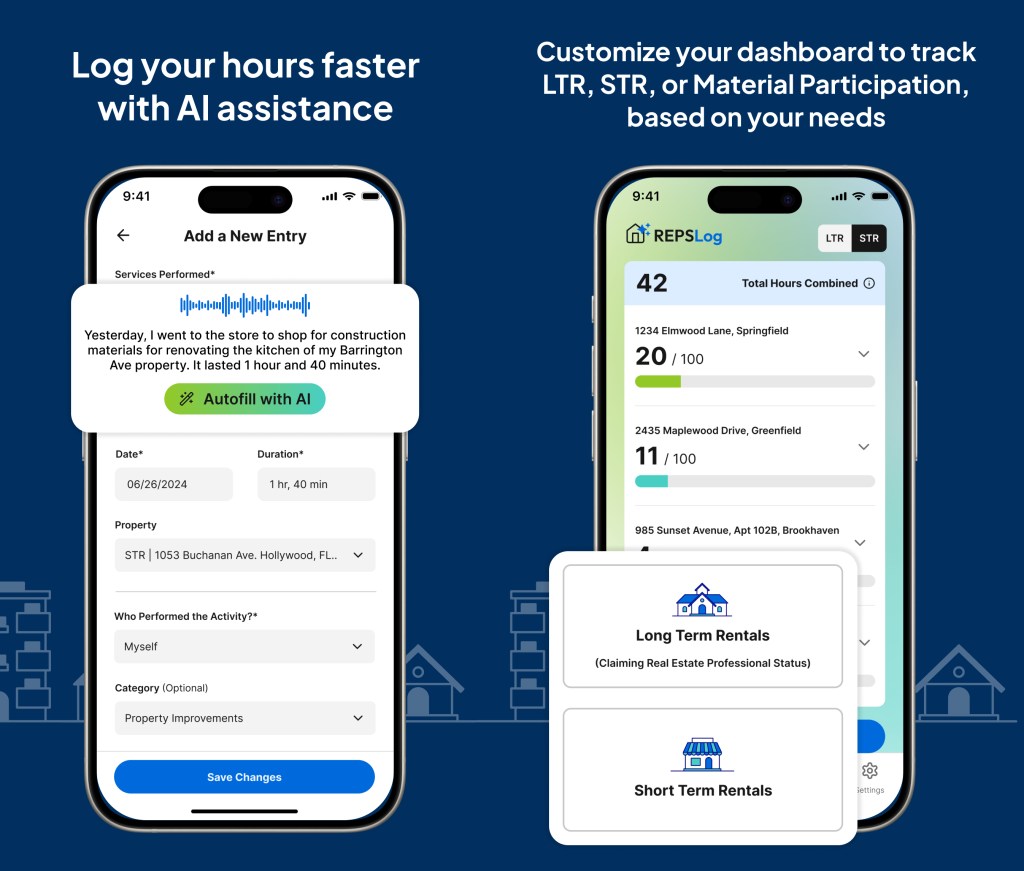
While templates are a great start, if you want to save hours of formatting and organizing, the REPSLog app does it all — and then some:
✅ Log time as you go
✅ Log x5 times faster with AI Assistance
✅ Upload evidence like photos or receipts
✅ Automatically total your REPS hours
✅ Generate reports if the IRS ever comes knocking
✅ Available both on Desktop, App Store and Play Store
Try the app free for 14 days — and if it doesn’t make your life easier, just cancel. No strings attached.
TL;DR – Your REPS Hours Deserve Better Tracking
If you’re serious about qualifying for REPS or taking advantage of the STR loophole, don’t rely on guesswork. Use a real estate professional logbook or our time log template to start tracking your REPS hours the right way.
And when you’re ready to level up — let REPSLog take it from there.
Please Note: REPSLog is NOT a lawyer or CPA, and this is not legal or financial advice. Please consult a qualified professional for guidance regarding IRS rules and regulations.
Related Posts
🔗 Example Log for REPS & STR Hour Tracking (What the IRS Looks For)




 REPSLog Blog