Updated September 2026 for the 2026 tax year.
If you have read our guide on how to log hours for REPS and STR investors, you already know the IRS takes documentation seriously. If you are aiming for Real Estate Professional Status (REPS) or using the STR loophole, you need more than a good memory. You need a system.
That is where a well-kept real estate professional logbook comes in.
This guide covers what the logbook is, exactly what each entry should record, sample entries that hold up and ones that do not, and how to keep one with the least effort.
What Is a Real Estate Professional Logbook?
A real estate professional logbook is a dated record of every hour you spend on real estate work that counts toward REPS or STR material participation. It is not a calendar with scribbles. It is a structured record, written as you go, that shows what you did, when, for how long, on which property and who did it. In an audit it is usually the single most important document behind your claim.
Why REPS and STR Hours Need to Be Tracked Accurately
To qualify for REPS, you must meet both of these on your own (a spouse’s hours cannot be added):
- More than 750 hours in the year in real property trades or businesses in which you materially participate
- More than half of all the hours you worked in any job or business that year
You then still have to materially participate in the rental activities themselves.
For STR investors, you are usually focused on the 100-hour or 500-hour tests for material participation. The 100-hour test also requires that no other individual, such as your cleaner or co-host, spent more time on the property than you did.
The catch? These hours mean nothing to the IRS unless you can back them up in writing. The regulations let you prove participation “by any reasonable means”, such as calendars, appointment books or narrative summaries. But the Tax Court has repeatedly rejected logs rebuilt from memory at tax time. Our Tax Court case study shows a taxpayer who logged 932 hours and still lost REPS.
What Your Time Log Should Include
A strong real estate professional time log captures eight things for every entry:
| Field | What to record |
|---|---|
| Date | The day the work was done, not the day you wrote it down |
| Duration | How long it took, in hours and minutes |
| Activity description | What you did, specific enough that a stranger understands it |
| Property | Which property the work was for |
| Who performed it | You, your spouse, or someone else (cleaner, manager, contractor) |
| Category | The type of work: repairs, leasing, guest communication, bookkeeping |
| Supporting docs | Emails, invoices, receipts, photos, texts |
| When the entry was written | A timestamp that shows the log was kept as you went |
This is not just for the IRS. It also helps you see where your time goes across properties and whether you are on pace to hit your goal.
Sample Logbook Entries: Strong vs Weak
The difference between an entry that holds up and one that does not is usually detail. Here are real-world examples:
| Weak entry | Strong entry |
|---|---|
| Mar 4: property work, 8 hrs | Mar 4, 2.5 hrs, 412 Oak St, me: met plumber on site, approved water heater replacement, photographed old unit (invoice attached) |
| March: guest messages, 20 hrs | Mar 11, 0.5 hrs, Lake Cabin, me: answered check-in questions and resolved a lockout for the Smith booking |
| Turnover | Mar 15, 1.5 hrs, Lake Cabin, me: inspected after checkout, restocked supplies, reset lock code. Cleaner: 3 hrs (logged separately) |
| Emails | Mar 18, 0.75 hrs, Duplex A, me: reviewed three roofing bids and picked the contractor |
| Real estate stuff, week of 3/20, 15 hrs | Mar 21, 1 hr, Duplex A, spouse: showed Unit 2 to two applicants and collected applications |
Weekly or monthly totals, round numbers and vague descriptions are what examiners challenge first. For a list of what counts and what does not, see what counts toward material participation: 50 examples.
Do Not Forget Your Non-Real-Estate Hours
The more-than-half test compares your real estate hours with all your working hours. If you have a W-2 job, consulting work or another business, the IRS will ask how many hours you worked there too. A logbook that only records real estate time cannot prove the comparison. Keep a simple record of your other work hours as well; our post on how to log your W-2 hours for the more-than-half test shows how.
7 Logbook Mistakes to Avoid
- Writing it at tax time. A log rebuilt in March from memory is the weakest kind of evidence. Log within a day or two of the work. See how to keep a contemporaneous log.
- Lumping time into weekly totals. One entry per activity per day is what holds up.
- Leaving out the property. Unless you make the grouping election, material participation is tested property by property.
- Mixing in other people’s hours. Your cleaner’s or manager’s hours never count as yours, but for the STR 100-hour test you need to know them.
- Counting investor-type work. Reviewing statements or reading market news as an owner does not count.
- No evidence. An invoice, text or photo next to the entry turns a claim into a record.
- Stopping in the fall. Regular, continuous involvement means the log should cover the whole year.
Download a Free Real Estate Professional Time Log Template
We put together a free, ready-to-use REPS time log template you can copy and personalize. It works for:
- Google Sheets
- Excel
- Your favorite paper planner (if you are old-school)
Click here to access the REPSLog Time Log Template
A spreadsheet is a fine start, but it cannot show when each row was written, keep the receipt with the row, or sync between your phone and your computer. Our comparison of the 5 best methods for tracking REPS hours weighs paper, spreadsheets, calendars and apps side by side.
Want to Ditch the Spreadsheet? Use REPSLog.
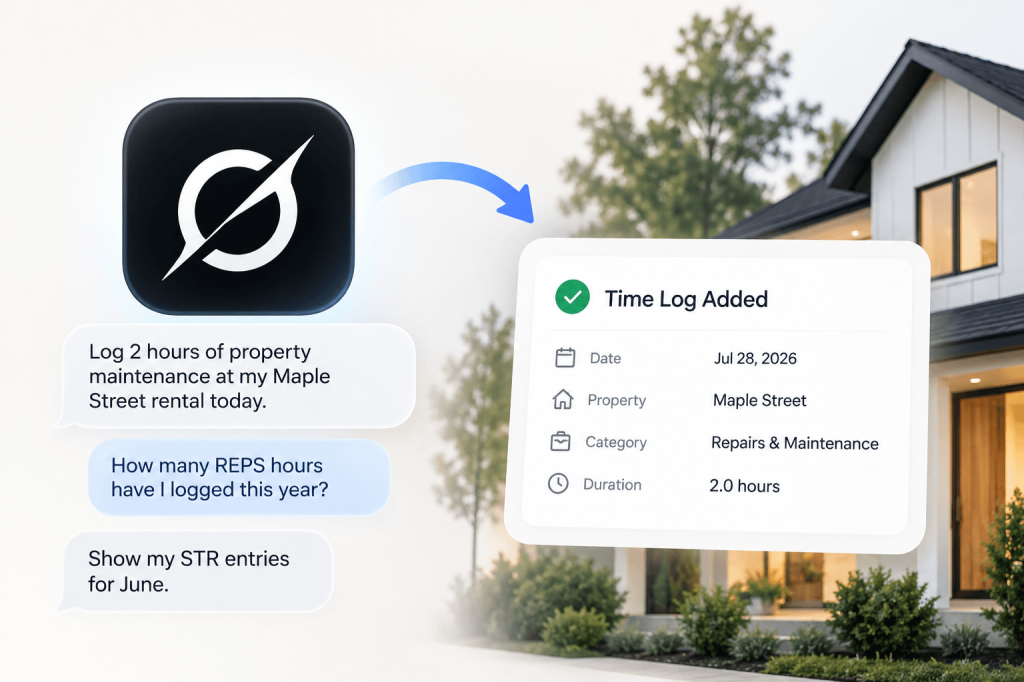
If you want to skip the formatting and keep a log that holds up, the REPSLog app records every field above:
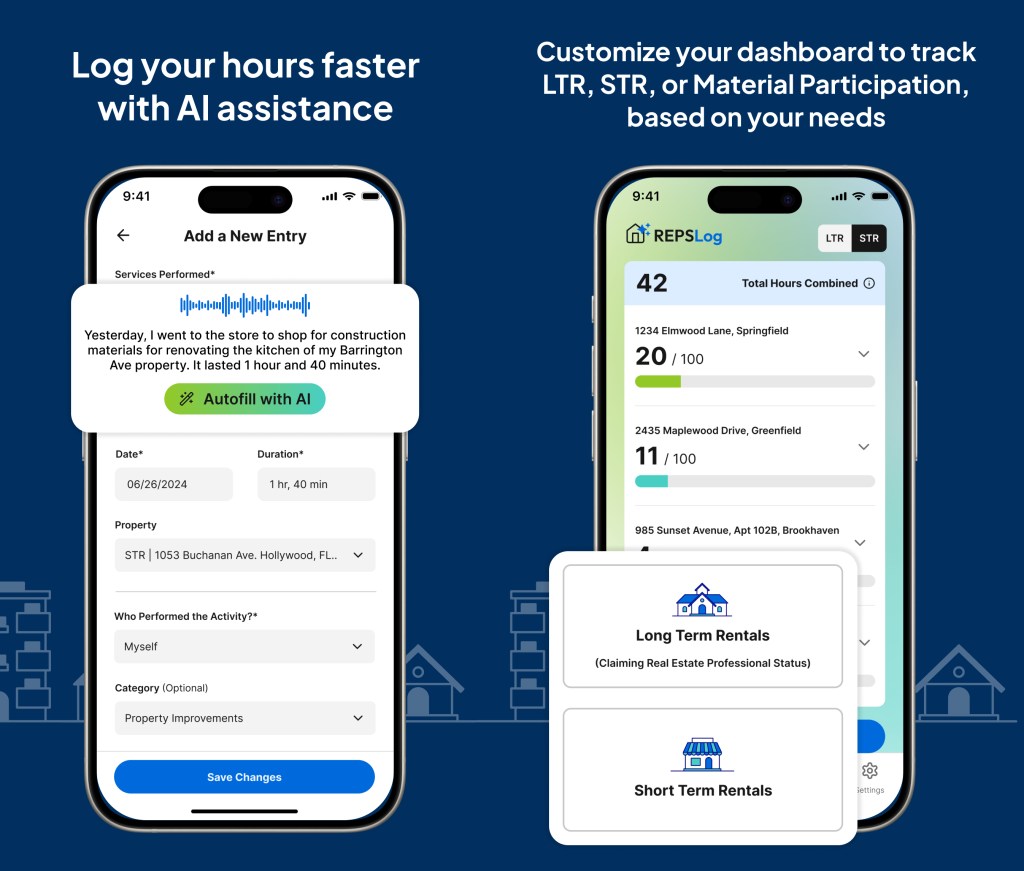
- One entry form for the date, duration, description, property, who did it and the evidence
- Log by voice with voice logging, or time on-site work live with the built-in timer
- Turn past calendar events into entries with calendar integration
- Attach photos, receipts and PDFs to each entry with evidence attachments
- Record your spouse, cleaner or manager as participants, so only the right hours land on your total
- Track each rental separately with multiple properties, marked long-term or short-term
- See your 750, 500 or 100-hour progress on the hours dashboard
- Hand your CPA a PDF, Excel or CSV export with the date and time every entry was created
- Works on iPhone, Android and the web, synced between all three
Already have a spreadsheet? CSV import brings it in, and backdated entries keep each past activity on the date it happened. Our guide to moving a REPS spreadsheet into REPSLog walks through it.
Try the app free for 14 days, and if it does not make your life easier, just cancel. No strings attached.
Frequently Asked Questions
Does the IRS require a daily log for REPS?
No specific format is required. The regulations accept any reasonable means, including calendars and narrative summaries. In practice, a log written at or near the time of the work, with one entry per activity, is what holds up in audits and in Tax Court.
Can I rebuild my log from my calendar and emails?
You can, and calendar events and emails are useful evidence. But a log reconstructed long after the fact carries less weight than one kept as you went. If you are behind, catch up now and log going forward. Our post on what to do if you forgot to log your REPS hours covers the recovery steps.
Should I log my spouse’s hours?
Yes, in a way that keeps them separate from yours. Spouse hours count toward material participation but not toward the 750-hour or more-than-half REPS tests.
How long should I keep my logbook?
Keep it at least as long as the tax return it supports can be examined. Because rental losses and depreciation carry forward, many CPAs recommend keeping it for several years after you sell the property. Ask your CPA for your situation.
Is a spreadsheet good enough?
It can be, if you fill it in as you go and keep the evidence alongside it. The risk is that nothing in a spreadsheet shows when each row was written.
TL;DR: Your REPS Hours Deserve Better Tracking
If you are serious about qualifying for REPS or using the STR loophole, do not rely on guesswork. Use a real estate professional logbook or our time log template, record the eight fields for every activity, write entries as you go, and keep a record of your other work hours too.
When you are ready to level up, let REPSLog take it from there.
Please Note: REPSLog is NOT a lawyer or CPA, and this is not legal or financial advice. Please consult a qualified professional for guidance regarding IRS rules and regulations.
Related Posts
🔗 Example Log for REPS & STR Hour Tracking (What the IRS Looks For)
🔗 10 Documentation Best Practices for Bulletproof REPS Claims
🔗 How to Start Tracking Your REPS Hours: A Step-by-Step Beginner’s Guide
Do this in REPSLog
- Calendar Integration (Google, Microsoft 365, device): turn past Google, Microsoft 365 or device calendar events into logged hours.
- CSV Import: bring a spreadsheet log into REPSLog on the web app.
- Backdate Entries: log past work on the date it happened, back to 2020.
- Voice Logging: dictate an entry; duration, property and date are picked out as you speak.
Step by step in the Help Center: how to use it. Try REPSLog free for 14 days on iPhone, Android or the web app.