You can spend more than 750 hours managing your rental properties. You can pass the more-than-half test. You can materially participate in every activity. But if you cannot prove it, none of it matters.
Documentation is the foundation of every successful Real Estate Professional Status (REPS) claim. When the IRS audits a REPS position — and these claims face elevated audit risk — the outcome almost always hinges on the quality of the taxpayer’s records, not whether they actually performed the work. Tax Court decisions are filled with cases where investors clearly did qualify but lost because their documentation was insufficient, vague, or reconstructed after the fact.
These 10 best practices will help you build a documentation system that withstands IRS scrutiny.
1. Log Contemporaneously — Not After the Fact
The single most important attribute of a credible REPS log is contemporaneity: entries recorded at or near the time of the activity. The IRS and Tax Court have repeatedly distinguished between logs maintained throughout the year and those created after the return is filed (or worse, after an audit notice arrives).
What contemporaneous means in practice:
- Best: Log entries the same day the activity occurs
- Acceptable: Log entries within a few days, while details are fresh
- Risky: Weekly or bi-weekly batch entries based on calendar and memory
- Indefensible: Reconstructing an entire year’s log at tax time or during an audit
The IRS does not expect perfection. Missing a day and catching up the next is fine. But a log that appears to have been created all at once — same handwriting, same pen, same formatting throughout, with no natural variation — will be challenged.
Practical tip: Set a daily reminder on your phone to log your real estate activities. Three minutes at the end of each workday is enough to capture the day’s entries with specificity.

2. Be Specific in Every Description
“Property management — 3 hours” is the most common description in REPS logs that fail audits. It tells the IRS examiner nothing. It could mean anything from intensive hands-on work to vague time spent “thinking about properties.”
Every entry should answer: What specifically did you do?
Vague (will be challenged):
- “Property management”
- “Research”
- “Maintenance”
- “Administrative work”
Specific (defensible):
- “Inspected water heater at 456 Oak Avenue; unit leaking from pressure relief valve; photographed damage and called ABC Plumbing to schedule replacement”
- “Reviewed 3 rental applications for 789 Pine Street Unit B; ran credit reports, verified employment for two applicants, contacted previous landlords”
- “Met electrician at 123 Main Street to assess flickering lights in kitchen; approved estimate of $650 for rewiring dedicated circuit”
- “Updated Airbnb listing photos for 234 Elm Drive; staged living room and kitchen; took 45 photos, edited and uploaded 12 best images”
The standard is: could a stranger reading this entry understand what you did, where you did it, and why it was necessary? If so, it is specific enough.
3. Tag Every Entry to a Property
Each log entry should identify which property (or properties) the activity relates to. This is critical for two reasons:
Material participation: If you have not made a grouping election under Treas. Reg. 1.469-9(g), you must demonstrate material participation on each property individually. Property-specific hour tracking makes this straightforward.
Credibility: An examiner who sees property tags on every entry can verify your claimed activities against the properties you own. Entries without property attribution look like padding.
For activities that span multiple properties (such as driving to inspect three properties in one trip, or reviewing a portfolio-wide insurance policy), split the time across properties or note that the activity applies to multiple properties with a specific explanation.
4. Record Duration in Hours and Minutes — Not Round Numbers
A log showing entries of exactly 1 hour, 2 hours, 3 hours, or 4 hours for every activity looks fabricated. Real work does not come in perfect increments.
Suspicious pattern:
- 8:00 AM – Property management: 2 hours
- 10:00 AM – Maintenance coordination: 1 hour
- 11:00 AM – Research: 3 hours
- 2:00 PM – Tenant screening: 2 hours
Credible pattern:
- 8:15 AM – Drove to 123 Main for plumber meeting: 1 hour 45 minutes
- 10:00 AM – Called insurance agent re: 456 Oak policy renewal, reviewed options: 35 minutes
- 10:45 AM – Reviewed contractor bids for 789 Pine kitchen remodel, compared 3 estimates: 1 hour 20 minutes
- 12:30 PM – Showed 234 Elm Unit A to prospective tenant, discussed lease terms: 50 minutes
The second pattern looks like it was recorded by someone actually doing the work and noting the time as it happened. The first pattern looks like it was reverse-engineered to hit a target number.
5. Maintain Corroborating Evidence
Your log is your primary record, but it is stronger when supported by independent evidence. The IRS calls this “corroboration,” and it can turn a borderline case into a clear win.
Types of corroborating evidence:
- Emails and text messages: Communications with contractors, property managers, tenants, brokers, attorneys, and vendors that correspond to your log entries
- Photos with metadata: Property inspection photos with embedded date, time, and GPS location
- Receipts and invoices: Documentation of materials purchased, services contracted, and expenses incurred during logged activities
- Calendar entries: Appointments, property visits, and meetings on your calendar that match your log
- Mileage records: Vehicle logs showing trips to properties that align with your activity log
- Bank and credit card statements: Transactions that corroborate claimed activities (hardware store purchases, contractor payments)
- Contractor and vendor records: Signed estimates, work orders, and completion reports
You do not need corroboration for every single log entry. But having a pattern of supporting evidence across the year — emails that match inspection entries, receipts that match repair coordination, calendar items that match showing appointments — creates a picture of reliability that is difficult for an examiner to challenge.
6. Track Non-Real-Estate Hours
The more-than-half test requires your real estate hours to exceed all other personal services in trades or businesses. To prove you pass this test, you need to know your non-real-estate hours.
For W-2 employees:
- Track your actual hours at your job (not just the hours your employer assumes)
- If you work fewer hours than your employment agreement states (flexible schedule, remote work, results-oriented environment), document this
- Save any employer documentation of your schedule (flexible work arrangement letters, time-off records)
For self-employed or business owners:
- Track hours spent on non-real-estate business activities
- Be honest — inflating real estate hours while understating business hours is the kind of inconsistency auditors are trained to detect
For retirees or non-workers:
- Document your retirement status
- Track any consulting, board service, or part-time work
Keep your non-real-estate hour tracking as a separate log or section. Being able to present both sides of the ratio — real estate hours and total hours — is much more persuasive than only showing real estate hours and claiming you had no other professional activities.
7. Use a Digital System
Paper logs work, but they create unnecessary risk and friction:
- Paper can be lost, damaged, or destroyed
- Paper is difficult to aggregate and subtotal
- Paper has no automatic timestamps
- Paper cannot generate formatted exports for your CPA or the IRS
- Paper makes it impossible to monitor your year-to-date progress toward 750 hours
A digital tracking system resolves all of these issues. Entries are timestamped when created. Running totals are calculated automatically. Data is backed up and exportable. And critically, a digital system makes logging fast enough that you actually do it consistently.
The IRS has not prescribed a specific format for REPS logs. Spreadsheets, calendar applications, and purpose-built tracking apps have all been accepted. The key attributes are contemporaneity, specificity, and consistency.
8. Export and Archive Reports Regularly
Do not wait until April 15 to generate your REPS documentation. Export reports on a monthly or quarterly basis. This creates a paper trail showing that you were maintaining and reviewing your records throughout the year.
Monthly: Quick summary export showing total hours by category and property Quarterly: Detailed export with all entries for CPA review Annually: Comprehensive export with summary, detailed entries, and supporting calculations for the 750-hour and more-than-half tests
Store these exports in a secure location (cloud storage, email to yourself, or shared folder with your CPA). If you ever face an audit, having dated periodic exports is powerful evidence that the log was maintained contemporaneously.
9. Be Consistent Year After Year
Consistency across tax years is a hallmark of credibility. If you claim 850 hours one year, 820 the next, and 790 the year after, that pattern looks like an honest, active investor whose hours naturally fluctuate. If you claim 755 hours in Year 1, 752 in Year 2, and 760 in Year 3 — always just barely above the threshold — the IRS may question whether you are manufacturing hours to qualify.
Similarly, dramatic year-to-year swings in hours without a corresponding explanation (selling a property, acquiring new ones, a major renovation) draw attention.
Consistency also means using the same tracking methodology year after year. If you switch from paper to digital mid-year, or from one system to another, maintain overlap and be able to explain the transition.
10. Separate Your Hours from Your Spouse’s
If you file a joint return and one spouse qualifies as a real estate professional, keep clean separation between the qualifying spouse’s hours and the other spouse’s hours.
For REPS qualification: Only the qualifying spouse’s hours count toward the 750-hour and more-than-half tests. The other spouse’s real estate hours are irrelevant for these tests.
For material participation: Both spouses’ hours can be combined under IRC Section 469(h)(5). But the log should clearly show which spouse performed each activity so you can demonstrate both the individual qualification (REPS tests) and the combined participation (material participation tests).
Practical approach: Each spouse maintains their own log entries, clearly attributed. The entries can be in the same system or spreadsheet, as long as each is tagged to the correct person.
Bonus: What to Do If Your Records Are Incomplete
If you are reading this mid-year and realize your documentation is inadequate, start now. Do not try to reconstruct the past with false precision — that creates more risk than benefit. Instead:
- Start logging today with the specificity and detail described above
- Reconstruct what you can honestly from existing records (emails, calendar entries, receipts, bank statements) and note in your records that the reconstruction is based on these sources
- Inform your CPA about the documentation gap so they can assess the risk and advise accordingly
- Commit to consistent daily logging going forward
A partial-year log with strong contemporaneous entries is better than a full-year log that was obviously created all at once.
Frequently Asked Questions
Does the IRS require a specific format for REPS logs?
No. The IRS has not prescribed a specific format. Handwritten notebooks, spreadsheets, calendar-based records, and digital tracking applications have all been accepted. The critical attributes are that the log is contemporaneous, specific, and consistent.
How long should I keep my REPS documentation?
At minimum, keep records for 7 years from the date you filed the return. The standard statute of limitations is 3 years, extending to 6 years for substantial understatements. Fraud has no statute of limitations. Seven years covers the most common scenarios. Digital records are easy to retain indefinitely.
Can I use my calendar as a REPS log?
A calendar can be a component of your documentation, but it is usually not sufficient on its own. Calendar entries like “123 Main St” or “plumber” lack the specificity and duration detail the IRS expects. A dedicated activity log that references calendar entries as corroborating evidence is the stronger approach.
What if I forget to log an activity?
Log it as soon as you remember, ideally within a few days. Note the approximate time spent and be as specific as possible about the activity. Occasional late entries are normal and human. A pattern of late entries over weeks or months undermines credibility.
Does travel time count toward REPS hours?
Yes. Time spent traveling to and from properties for management purposes counts as qualifying real estate activity. Log the travel separately with the purpose (e.g., “drove to 456 Oak Avenue for scheduled plumbing inspection, round trip 55 minutes”).
How many entries should I have per day or per week?
There is no minimum or maximum. Some days you may log five entries totaling 8 hours. Other days you may have no real estate activity at all. The log should reflect reality. Forced uniformity (exactly 3 entries every day, every week, for 52 weeks) looks artificial.
Can my CPA create the log for me based on our conversations?
No. Your CPA can help you design a logging system and advise on what qualifies, but the log must reflect your personal knowledge of what you did and when. A CPA-generated log based on year-end conversations is a reconstructed log and will be treated as such by the IRS.
Key Takeaways
- Contemporaneous logging is non-negotiable — record entries at or near the time of the activity
- Specificity matters more than volume — detailed descriptions of actual work outperform vague summaries
- Tag every entry to a property for material participation tracking and credibility
- Avoid round numbers in duration — natural variation indicates genuine real-time recording
- Corroborating evidence strengthens your position — save emails, photos, receipts, and calendar entries
- Track non-real-estate hours to prove the more-than-half test
- Use a digital system for automatic timestamps, running totals, and easy exports
- Export reports regularly to create a paper trail of ongoing maintenance
- Maintain consistency across tax years in methodology and total hours
- Separate spousal hours — REPS qualification is individual, material participation can be combined under IRC Section 469(h)(5)
How REPSLog Implements These Best Practices Automatically
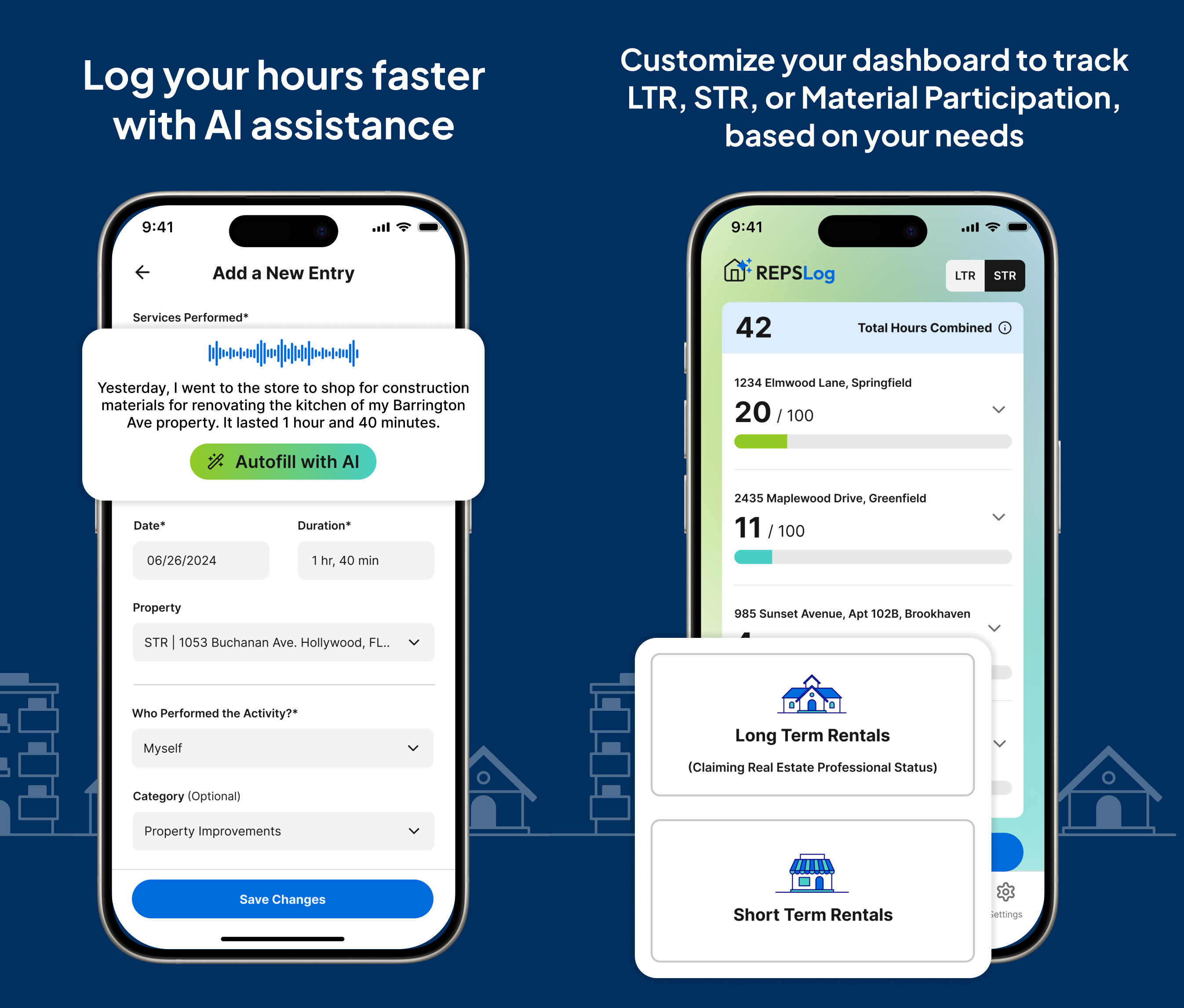
Every best practice in this article is a design principle of REPSLog. Log entries are timestamped automatically. Properties are tagged on every entry. Activity categories keep descriptions organized. Running totals show your progress toward 750 hours in real time. Reports export in CPA-ready formats. And the mobile-first interface makes daily logging fast enough that you actually do it.
Stop worrying about whether your documentation is good enough. Start using a system that makes it good enough by default.
Available on iOS and Android, or on the web at app.reps-log.com. Start tracking your hours free →
This article is for educational purposes only and does not constitute tax or legal advice. Consult a qualified tax professional for guidance tailored to your situation.