Every year, thousands of real estate investors claim Real Estate Professional Status or the STR loophole on their tax returns. Many of them have the hours. Many of them did the work. And a meaningful number of them lose their claims anyway — not because they failed to put in the time, but because they could not prove it.
The IRS does not take your word for how many hours you spent managing rental properties. It expects documentation. And not just any documentation: it expects records that were created while the work was happening, not reconstructed months later from memory. The tax code calls these “contemporaneous” records, and understanding what that word actually requires, both in regulation and in practice, is essential for anyone relying on material participation to unlock real estate tax benefits.
This guide covers what “contemporaneous” means, what the regulations say, what Tax Court has revealed about the difference between records that hold up and records that do not, and how to build a logging practice that protects your position.
What “Contemporaneous” Actually Means
The word comes from Latin: “con” (together with) + “tempus” (time). A contemporaneous record is one created at or near the same time as the event it describes. In the context of real estate hour tracking, it means you document your work close to when you perform it, not days, weeks, or months later.
The distinction matters because human memory is unreliable. Research in cognitive psychology consistently shows that people are poor at recalling the specific duration, sequence, and details of past activities, especially routine ones. A landlord who spent 45 minutes responding to guest messages on a Tuesday in March will not accurately remember that activity by December. They might remember the week. They might remember the general task. But the specific date, the exact duration, and the details that give an entry credibility will be lost.
The IRS knows this. Tax Court judges know this. And the distinction between a log maintained in real time and one assembled after the fact has been the deciding factor in case after case.
What the Treasury Regulations Say
The relevant regulation is Treas. Reg. Section 1.469-5T(f)(4). It states that a taxpayer’s participation in an activity may be established by “any reasonable means,” and goes on to provide examples:
“Reasonable means” for establishing participation include the identification of services performed over a period of time and the approximate number of hours spent performing such services during such period, based on appointment books, calendars, or narrative summaries.
Three critical observations about this language:
First, the regulation does not prescribe a single format. It explicitly allows appointment books, calendars, and narrative summaries. You are not required to use any particular system, paper or digital, as long as the result is a reasonable record.
Second, the regulation says “approximate” hours. Precision to the minute is not required. A log entry that says “approximately 1.5 hours” is acceptable. What is not acceptable is a round-number estimate with no underlying basis (“I averaged 3 hours a day, 5 days a week, for 50 weeks” with no daily records to back it up).
Third, while the regulation allows flexibility in format, it does not say “any record created at any time.” The IRS and Tax Court read this provision in light of general evidentiary principles: records created near the time of the event carry more weight than records created later. This is the contemporaneous standard, and although the regulation does not use the exact word, courts have applied it consistently.
Contemporaneous vs. Reconstructed: The Line Tax Court Draws
Tax Court cases involving material participation claims reveal a clear pattern. The cases where taxpayers prevail tend to share certain characteristics, and the cases where they lose tend to share different ones.
Patterns in Successful Claims
Taxpayers who successfully defend their material participation hours typically present:
- Entries distributed throughout the year. The log shows work documented in January, February, March, and so on, not a cluster of entries created during a single sitting in December or after an audit notice arrives.
- Specific, granular descriptions. Instead of “property management,” the log says something like “met with HVAC technician to diagnose heating issue in unit 2B; approved repair estimate of $1,400.” Specificity is what makes an entry believable.
- Corroborating evidence. The log entries are consistent with other records: emails to tenants, receipts from supply runs, calendar appointments, contractor invoices, travel records. The log does not exist in a vacuum.
- Reasonable variation in hours. Real work does not produce identical hours every day. A credible log shows some days with 30 minutes of work, others with 4 hours, some days with nothing, and occasional intense stretches around turnovers, repairs, or lease transitions.
Patterns in Rejected Claims
Taxpayers who lose their material participation claims typically present:
- Logs created all at once, long after the fact. Courts have used phrases like “prepared in anticipation of litigation” and “reconstructed well after the taxable year.” A log that was plainly assembled in a single sitting weeks or months after the year ended carries very little evidentiary weight.
- Vague, repetitive descriptions. When every entry says “managed rental properties” or “real estate activities” with no further detail, the court infers that the log is an estimate, not a record.
- Suspiciously round numbers. If every entry is exactly 2 hours or every week totals exactly 15 hours, the log looks fabricated. Real work produces irregular durations.
- No supporting documentation. If the only evidence is the log itself with no receipts, no emails, no calendar entries, no contractor communications, the court may conclude the hours were inflated.
- Totals that conveniently land just above the threshold. A log showing exactly 755 hours or 105 hours, with no margin, can raise suspicion, particularly when combined with other credibility issues.
What These Cases Tell Us
The Tax Court is not looking for perfection. It is looking for credibility. A log with some imperfections (an entry logged three days late, a week where the investor forgot to log entirely but can corroborate the work through other records) is far more credible than a polished, uniform spreadsheet created after the year ended.
The takeaway: the most important characteristic of a defensible log is not its format or its precision. It is that the log was maintained as work was performed, so it carries the reliability of a record created in the ordinary course of activity, not a document prepared to support a tax position.
The Five Elements of a Defensible Log Entry
Based on the regulatory requirements and court precedent, every entry in your material participation log should include five data points:
1. Date
The specific calendar date the work was performed. Not “the week of March 10th.” Not “sometime in March.” The actual date: March 12, 2026.
If you performed work on multiple dates, each date should have its own entry. Batching multiple days into a single line item (“March 10-14: managed properties, 8 hours total”) is weaker than five separate dated entries.
2. Property
Which property the work relates to. Use a consistent identifier throughout the year, whether that is the street address, a property nickname, or a unit designation. Consistency matters because it demonstrates a systematic approach, and it enables you to calculate hours by property, which is critical if you are using the STR loophole (where material participation is evaluated per property unless you have a grouping election).
3. Activity Description
A specific, concrete description of what you did. This is where most logs fail. The description should be detailed enough that a stranger reading it could understand what happened.
Weak: “Property maintenance — 2 hrs”
Strong: “Drove to 234 Maple Drive to meet plumber about slow drain in master bathroom. Inspected the issue, approved repair. While at property, checked smoke detectors and replaced batteries in upstairs units. Drove back. — 2 hrs”
The strong version has verifiable details. If audited, the IRS can cross-reference the plumber’s invoice, check your mileage records, and see whether the timeline makes sense. The weak version has nothing to cross-reference.
4. Start Time and End Time (or Duration)
The regulation asks for the “approximate number of hours.” Providing start and end times (e.g., “10:15 AM to 12:30 PM”) is stronger than a standalone duration because it demonstrates a higher level of specificity. However, a stated duration (“approximately 2 hours 15 minutes”) is acceptable if the rest of the entry is detailed and credible.
What you want to avoid is a standalone round number with no other context. “2 hours” with a vague description is an estimate. “2 hours 15 minutes, 10:15 AM to 12:30 PM” with a detailed description is a record.
5. Category (Optional but Recommended)
While not strictly required, categorizing your activities (maintenance, guest communication, financial management, acquisition research, etc.) provides two benefits. First, it demonstrates organization and intentionality, qualities that build credibility. Second, it enables you to quickly summarize your hours by category if the IRS asks how you spent your time, showing a plausible distribution across different aspects of property management.
The Logging Window: How Soon Is Soon Enough?
A strict reading of “contemporaneous” might suggest you need to log every activity the instant it happens. In practice, neither the IRS nor Tax Court applies that standard. The question is whether the record was created close enough to the activity that it is likely to be accurate.
Same day: Ideal. Logging at the end of each working day is the gold standard. Your memory is fresh, and the timestamp on the entry aligns closely with the work.
Within a few days: Acceptable. If you do a batch of logging every Saturday morning covering the work you did during the week, you are still well within the window. Some details may be slightly fuzzier than same-day entries, but the record is credible.
Weekly: Generally acceptable, especially if you are logging from notes, calendar entries, or other reminders. A log compiled once a week with specific dates and details for each day is defensible.
Monthly or quarterly: Risky. At this interval, memory has degraded significantly. Monthly summaries without daily breakdowns are weak. If your only records are quarterly reconstructions, the IRS has grounds to challenge their accuracy.
Year-end or post-audit: Insufficient. A log created in one sitting months after the year ended is a reconstruction, not a contemporaneous record. Tax Court has rejected these repeatedly, even when the total hours claimed were plausible.
Why Apps Beat Spreadsheets and Paper
The format of your log matters less than its content, but certain formats provide built-in advantages that can prove decisive during an audit.
Timestamped Digital Entries
When you log an entry in a dedicated tracking app, the system records metadata that you cannot backdate: the date and time the entry was created, the device it was created on, and (depending on the platform) the entry’s creation sequence. This metadata is a form of automatic corroboration. It proves the entry was created on March 12, not manufactured on December 28.
A paper log or a spreadsheet does not offer this. Anyone can write “March 12” on a piece of paper in December. Anyone can type a date into a spreadsheet cell. There is no independent verification of when the record was actually created.
Portability and Consistency
The biggest enemy of a contemporaneous log is friction. If logging your hours requires sitting down at a computer, opening a spreadsheet, remembering what you did, and formatting the entry, you will skip it. Days will become weeks. Weeks will become months. By year-end, you are reconstructing, not recording.
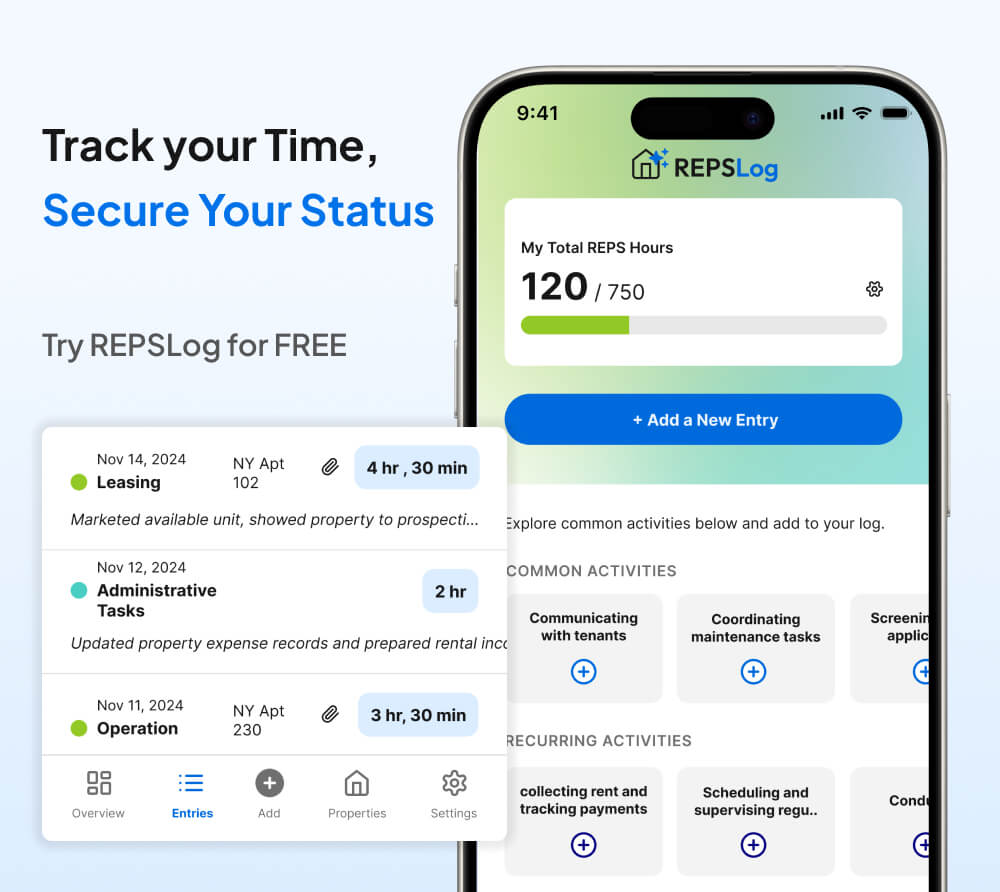
A mobile app eliminates that friction. You finish a maintenance call, pull out your phone, and log the entry in 30 seconds while the details are still in your head. The lower the barrier, the more consistent your log becomes. And consistency is what Tax Court rewards.
Automatic Calculations and Thresholds
A dedicated tracking tool can calculate your running total by property, show you how close you are to the 100-hour, 500-hour, or 750-hour thresholds, and flag if you are falling behind the pace you need. A spreadsheet can do some of this with formulas, but it requires manual setup and maintenance. Paper cannot do it at all.
Knowing your running total throughout the year is not just a convenience. It is a strategic necessity. If you discover in October that you have only logged 65 hours toward a 100-hour target, you still have time to adjust. If you discover it in February during tax preparation, it is too late.
Export and Sharing
When your CPA asks for your hour log, you need to produce it in a format that is organized, readable, and complete. An app designed for this purpose generates a clean export that can be attached to your return or provided during an audit. Transferring data from a paper notebook or a personal spreadsheet often introduces errors, formatting issues, and gaps.
Building a Sustainable Logging Habit
Knowing what to log is only half the problem. The other half is actually doing it consistently for 365 days. Here are practices that make the habit stick:
Log immediately after each activity. The ideal window is the 60 seconds right after you finish a task. Make it part of the task itself: guest communication, log; maintenance coordination, log; pricing adjustment, log.
Set a daily reminder. If immediate logging does not work for your workflow, set a reminder for the same time each evening to log the day’s activities. Even if you did nothing that day, the reminder keeps the habit alive and prevents multi-day gaps.
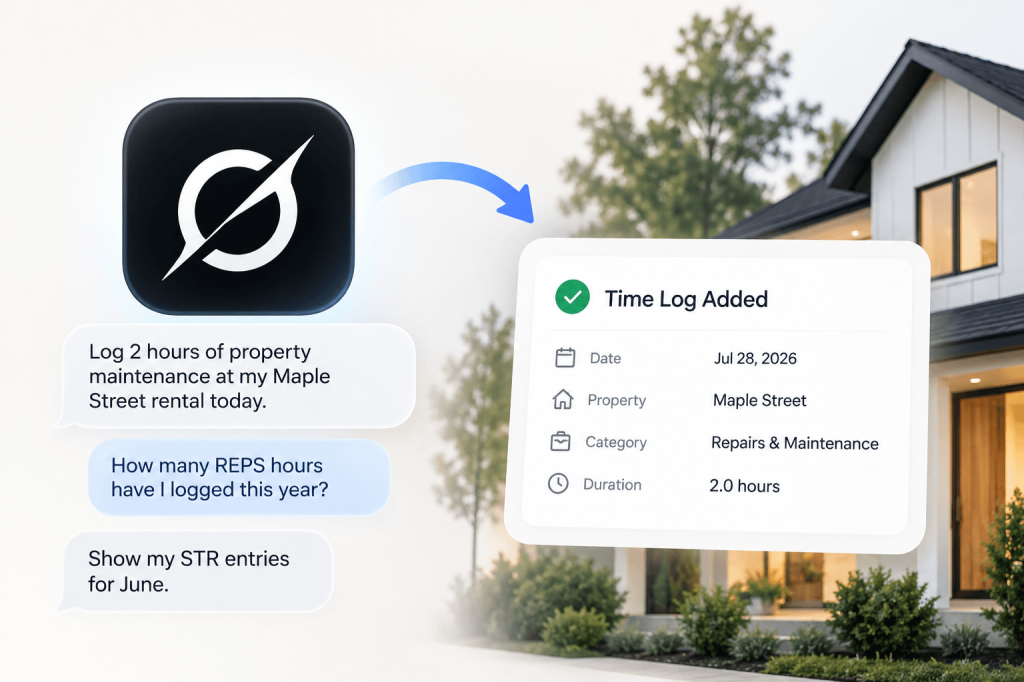
Use voice-to-text. If typing on your phone feels like too much effort, dictate your entry. “Responded to three guest inquiries on Airbnb, adjusted pricing for next weekend, reviewed cleaner’s checklist photos — about 45 minutes” is a perfectly good entry and takes 15 seconds to dictate.
Keep supporting documents accessible. Save contractor invoices, email confirmations, and receipt photos somewhere organized. You may never need them, but if an audit occurs, corroborating evidence dramatically strengthens your log.
Review monthly. Once a month, scan your log for the past 30 days. Look for gaps, vague descriptions, or missing properties. A quick monthly review helps you catch problems while they are still fixable.
Frequently Asked Questions
Do I need to track the exact minute I started and stopped each task?
No. The regulation requires “approximate” hours. Precise start and end times are stronger evidence than a bare duration, but they are not mandatory. What matters is that your recorded duration is reasonable and that the entry is specific enough to be credible.
What if I forgot to log for a few days — can I go back and fill in entries?
Yes, and you should. A log with some entries filled in two or three days late is vastly better than a log with gaps. Just record the entries as accurately as you can, and be honest about the dates. Do not adjust timestamps to make it look like you logged in real time if you did not.
My CPA said a calendar or spreadsheet is fine. Is it?
A calendar or spreadsheet can satisfy the regulation if it contains all five elements (date, property, description, duration, start/end time) and was maintained throughout the year. However, neither format provides the automatic timestamp verification that a digital app offers, which means you bear a higher burden of proving the entries were created contemporaneously rather than backdated.
How long should I keep my log records?
The IRS generally has three years from the filing date to audit a return, but this extends to six years if income is understated by more than 25%. For real estate investors using accelerated depreciation, where large deductions may draw IRS attention, retaining logs for at least seven years is prudent. Digital records should be backed up or stored in the cloud so they are not lost if a device fails.
Does the IRS actually audit REPS and STR loophole claims?
Yes. REPS has been an IRS audit focus area for years because the tax savings involved are substantial and the qualification requirements are well-defined enough to verify. The STR loophole is receiving increasing scrutiny as more investors adopt the strategy. If you are claiming tens of thousands of dollars in non-passive losses on your return, you should prepare for the possibility that the IRS will ask how you got there.
Can I use my Airbnb host dashboard as a log?
Your Airbnb dashboard is useful as corroborating evidence (it shows guest messages, booking dates, and some operational activity), but it is not a substitute for a dedicated participation log. It does not capture activities outside the platform (maintenance, supply runs, pricing strategy, financial management) and does not record the time you spent on each activity. Use it as a supplement, not a replacement.

Key Takeaways
- A contemporaneous log is a record maintained as work is performed, not reconstructed from memory after the year ends.
- Treas. Reg. Section 1.469-5T(f)(4) allows “any reasonable means” to prove material participation, but Tax Court consistently gives more weight to records created near the time of the activity.
- Tax Court cases reveal a clear pattern: logs with specific details, varied durations, distributed entry dates, and corroborating evidence succeed. Vague, round-number, year-end reconstructions fail.
- Every log entry should include five elements: date, property, activity description, duration or start/end time, and (ideally) activity category.
- Same-day or same-week logging is the safest window. Monthly or quarterly logging is risky. Year-end logging is insufficient.
- Digital apps with automatic timestamps provide built-in proof that entries were created contemporaneously, eliminating the burden of proving when the log was made.
Track Your Hours the Right Way
Your material participation hours are only as defensible as the log that records them. A vague spreadsheet updated once a quarter will not protect a six-figure tax deduction in an audit. A timestamped, detailed, property-level log maintained throughout the year will.
REPSLog is designed for exactly this. Log entries on your phone with automatic timestamps. Track hours by property and activity category. Monitor your progress toward qualification thresholds in real time. When your CPA or the IRS asks for documentation, export a clean, organized report.
Available on iOS and Android, or on the web at app.reps-log.com. Start tracking your hours free →.
This article is for educational purposes only and does not constitute tax or legal advice. Consult a qualified tax professional regarding your specific situation before relying on any tax strategy.
Do this in REPSLog
- Evidence Attachments: attach receipts, invoices and photos to any entry.
- Backdate Entries: log past work on the date it happened, back to 2020.
- CPA-ready Export (PDF and CSV): a tax year as PDF and CSV, split by LTR and STR, with receipts.
Step by step in the Help Center: how to use it. Try REPSLog free for 14 days on iPhone, Android or the web app.