Choosing how to track your Real Estate Professional Status hours is one of the most consequential decisions you will make in your REPS strategy. The right method makes daily logging effortless and produces the kind of detailed, contemporaneous records the IRS expects. The wrong method creates friction that leads to gaps, forces year-end reconstruction, and produces documentation that crumbles under examination.
This article compares five tracking approaches, from the simplest to the most sophisticated, evaluating each on the criteria that matter most: ease of daily use, IRS defensibility, organization, and the likelihood that you will actually stick with it.
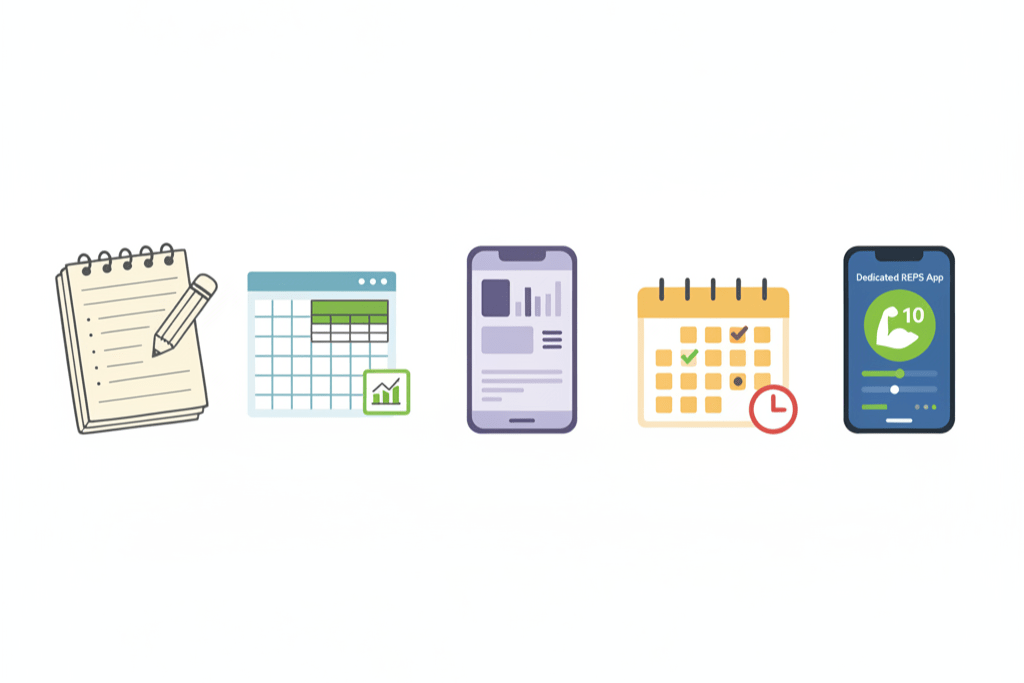
Method 1: Paper Logs and Notebooks
The original approach. A dedicated notebook where you write the date, the activity description, the property, and the time spent for each entry.
How it works. You carry a notebook or keep it at your desk. After each real estate activity, you write an entry. At year-end, you have a physical record of your participation.
Pros. Paper logs are simple to start, require no technology, and have a certain authenticity that courts appreciate. There is no learning curve. A handwritten entry with natural imperfections (varied handwriting, corrections, occasional crossed-out entries) actually signals contemporaneous creation more convincingly than a perfectly formatted digital document.
Cons. Paper logs are difficult to search and analyze. You cannot easily total your hours by property, category, or time period without manual calculation. They are vulnerable to loss, damage, or deterioration. If you forget the notebook, you skip entries. Backing up a paper log requires photocopying or scanning. And a single notebook with hundreds of entries becomes unwieldy by mid-year.
IRS defensibility. Moderate to good. Tax Court has accepted handwritten logs when they demonstrate contemporaneous creation and sufficient detail. The physical nature of the log can work in your favor because it is difficult to fabricate a year’s worth of natural-looking handwritten entries after the fact.
Best for. Investors who manage a small number of properties, prefer analog tools, and are disciplined about daily entry creation. Not ideal for portfolios with more than a few properties.

Method 2: Spreadsheets (Excel or Google Sheets)
The step up from paper. A structured spreadsheet with columns for date, property, activity, category, start time, end time, and duration.
How it works. You create a spreadsheet template with appropriate columns. Each real estate activity becomes a row. Formulas calculate total hours, subtotals by property or category, and running year-to-date totals.
Pros. Spreadsheets offer built-in math. You can sum hours by property, by month, by activity category, or any other dimension. Filtering and sorting let you analyze your hours in ways paper cannot. Templates can be shared across years. Cloud-based spreadsheets (Google Sheets) sync across devices and are accessible from anywhere.
Cons. Spreadsheets require manual data entry with no built-in reminders or prompts. They offer no calendar integration, no location data, and no automatic categorization. The user interface is not designed for quick, on-the-go entries. Opening a spreadsheet on your phone, navigating to the right row, and typing detailed entries while standing in a parking lot after a property visit is friction. And metadata matters: an IRS examiner can check the file creation date and modification history of a spreadsheet to assess whether it was maintained contemporaneously or created in bulk before an audit.
IRS defensibility. Moderate. Spreadsheets are widely accepted, but they lack the inherent authenticity signals of handwritten logs. A well-maintained spreadsheet with frequent save dates and modification history showing regular updates throughout the year is defensible. A spreadsheet with a creation date of March 15 and a single modification date of March 15 containing 12 months of entries is not.
Best for. Investors who are comfortable with spreadsheet software, want the ability to analyze their hours numerically, and will commit to regular (at least weekly) updates. Better suited for desktop use than mobile.
Method 3: Generic Time Tracking Apps
Apps designed for freelancers, consultants, or employees to track billable hours. Examples include Toggl, Harvest, Clockify, and similar tools.
How it works. You create projects (one per property or activity type), then start and stop timers as you work. The app records the duration automatically. Most offer mobile apps, making on-the-go tracking feasible.
Pros. Timer functionality eliminates the need to estimate durations. Mobile apps reduce friction for real-time logging. Built-in reporting generates summaries by project, date range, and tag. Many are free for basic use. The timer-based approach is inherently contemporaneous because you are starting and stopping the clock as you work.
Cons. These apps are designed for client billing, not IRS compliance. They lack real estate-specific features: no property address fields, no activity categories tailored to REPS qualifying activities, no concept of “real property trades or businesses,” and no built-in understanding of what the IRS requires. You must adapt a generic tool to a specific purpose, which creates workarounds and gaps. Reports are structured for client invoicing, not tax documentation. And there is no guidance on what constitutes a qualifying activity versus a non-qualifying one.
IRS defensibility. Moderate to good. Timer-based entries are inherently contemporaneous, which is a strength. However, the reports may not present information in the format most useful for REPS defense, and you will need to manually categorize and summarize your data for your tax preparer.
Best for. Investors who are already comfortable with time-tracking apps and want the accuracy of timer-based logging. Requires willingness to configure the app for real estate use and extract relevant reports manually.
Method 4: Calendar-Based Tracking
Using your existing calendar (Google Calendar, Apple Calendar, Outlook) as your primary REPS log by creating detailed calendar entries for real estate activities.
How it works. For each real estate activity, you create a calendar entry with the start time, end time, property name, and a description of the work performed. Your calendar becomes a visual timeline of your real estate participation.
Pros. Most people already use a calendar, so there is no new tool to learn. Calendar entries are inherently time-stamped and dated, providing strong contemporaneous evidence. The visual layout makes it easy to see your activity patterns. Calendar data can be exported for analysis. And if you already schedule property visits, contractor meetings, and tenant appointments on your calendar, half the work is already done.
Cons. Calendars are not designed for cumulative hour tracking. You cannot easily total your hours by property or category without exporting and processing the data. Not all real estate activities are calendar events: a 15-minute phone call with a tenant or 20 minutes of research does not naturally fit into a calendar format. Calendar entries tend to record scheduled events, not unplanned activities. And extracting a clean REPS report from calendar data requires significant manual effort.
IRS defensibility. Good for scheduled activities. Calendar entries created before or at the time of the activity are strong contemporaneous evidence. The weakness is completeness: your calendar likely does not capture every qualifying activity, and the missing entries represent undocumented hours.
Best for. Investors whose real estate work is primarily appointment-based (agents, property managers with scheduled visits, developers with contractor meetings). Works well as a supplementary tool alongside another tracking method but is insufficient as the sole tracking method for most investors.
Method 5: Purpose-Built REPS Tracking Apps
Applications designed specifically for tracking Real Estate Professional Status hours, with features tailored to the unique requirements of REPS documentation.
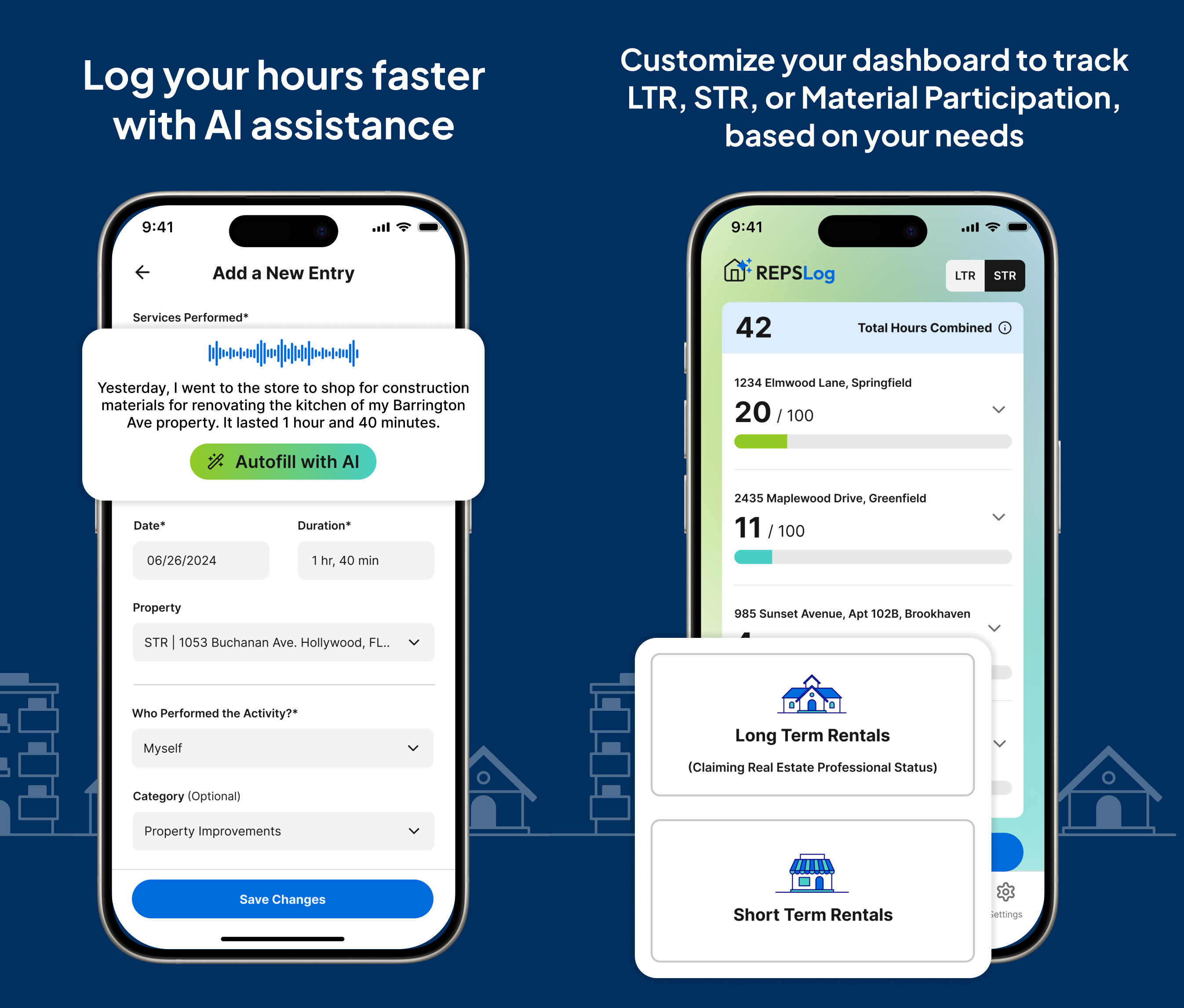
How it works. You log activities through a dedicated interface that prompts for REPS-relevant information: property, activity category, duration, description, and date. The app understands the 750-hour threshold, real estate-specific categories, and the documentation standard required by the IRS.
Pros. Purpose-built apps eliminate the friction of adapting generic tools. They include real estate-specific activity categories, property-level tracking, automatic hour calculations, and progress toward the 750-hour goal. Calendar integration can import existing appointments as starting points for log entries. Mobile access makes real-time logging practical. And the output is structured for tax preparation and audit defense from the start.
Cons. These apps are newer to the market and fewer options exist compared to generic time trackers. Some charge subscription fees. There is a learning curve, though typically a short one. And like any digital tool, they depend on the user actually opening the app and creating entries consistently.
IRS defensibility. Strong. Purpose-built apps produce structured, detailed records that address the specific requirements of Treasury Regulation 1.469-5T(f)(4). The mobile interface encourages real-time logging, creating contemporaneous records. Activity categorization aligned with qualifying real property trades or businesses makes it easy for a tax preparer or IRS examiner to evaluate the claim.
Best for. Any investor who takes REPS qualification seriously and wants a tool that guides them toward compliant documentation without requiring them to know the rules themselves.
Comparison Summary
When evaluating tracking methods, five factors matter most.
Friction to create entries. The easier it is to log an activity, the more likely you are to do it consistently. Purpose-built apps and timer-based apps have the lowest friction for mobile entry. Paper logs have low friction if you have them handy but high friction if you are away from your notebook. Spreadsheets have the highest friction for on-the-go entry.
Contemporaneous evidence quality. Timer-based apps and calendar entries produce the strongest contemporaneous evidence because they record time in real time. Paper logs depend on when you write the entry. Spreadsheets depend on file metadata showing regular updates.
Analysis and reporting. Spreadsheets and purpose-built apps offer the best analytical capabilities. Calendar-based tracking and paper logs require manual effort to produce summaries. Generic time trackers offer good reporting but not in REPS-specific formats.
Year-end readiness. Purpose-built apps are designed to produce tax-ready output. Spreadsheets with good templates can produce clean summaries. All other methods require significant year-end compilation work.
Risk of gaps. The primary risk with any tracking method is that you stop using it. Methods that integrate into your existing workflow (calendar-based tracking for appointment-heavy investors, mobile apps for on-the-go professionals) have lower abandonment rates than methods that require a separate, dedicated action (opening a spreadsheet, finding your notebook).
The Hybrid Approach
Many successful REPS claimants use a combination of methods. A common pattern is:
Use your calendar for scheduled real estate activities (appointments, meetings, inspections). Use a purpose-built tracking app or spreadsheet for unscheduled activities (phone calls, research, administrative work). Keep financial records and communications as corroborating evidence regardless of your primary tracking method.
The hybrid approach ensures that no activities fall through the cracks while leveraging the strengths of multiple tools. Calendar data provides strong contemporaneous evidence for scheduled activities, while the tracking app captures everything else.
Key Takeaways
- The best tracking method is the one you will actually use consistently every day. Sophistication means nothing if the tool sits unused.
- Paper logs are simple and authentic but difficult to analyze and vulnerable to loss.
- Spreadsheets offer analytical power but create friction for mobile, real-time entry.
- Generic time trackers provide timer accuracy but lack real estate-specific structure and REPS-oriented reporting.
- Calendar-based tracking leverages existing habits but misses unscheduled activities and cannot easily total hours.
- Purpose-built REPS tracking apps combine low friction, real estate-specific features, and tax-ready output in a single tool.
- A hybrid approach using your calendar for scheduled activities and a dedicated tracker for everything else covers the most ground.
Frequently Asked Questions
Which method is most accepted by the IRS?
The IRS does not endorse any specific tracking method. Treasury Regulation 1.469-5T(f)(4) requires documentation by “any reasonable means,” which can include time reports, logs, calendars, or narrative summaries. The quality of the documentation matters more than the format.
Can I switch tracking methods mid-year?
Yes. If you start with a spreadsheet and switch to an app in June, both sets of records are valid. The key is that you do not lose data during the transition. Export your existing records before switching and maintain continuity of documentation.
How often should I update my log?
Daily is ideal. Weekly is acceptable. Anything less frequent risks inaccurate entries due to fading memory. The further you get from the activity, the less reliable your recollection of what you did and how long it took.
Do I need to keep my tracking records forever?
Keep your REPS documentation for at least seven years after filing the tax return. The IRS generally has three years to audit a return, but this extends to six years if income is substantially understated and indefinitely in cases of fraud. Seven years provides a safe buffer for most situations.
Can my CPA or tax preparer track my hours for me?
Your CPA can help you set up a tracking system and review your records, but they cannot track your hours for you. You are the one performing the activities, and you are the one who knows the details. Your CPA’s role is to evaluate whether your records support a REPS claim, not to create those records.
What if I lose my tracking data?
This is one of the strongest arguments for cloud-based tools. If you use a paper notebook and it is lost or destroyed, your primary evidence is gone. Cloud-based apps and spreadsheets (Google Sheets, for example) provide automatic backup. If you use paper, consider periodically photographing or scanning your log pages as a backup.
Is there any advantage to using multiple tracking methods simultaneously?
Using multiple methods creates redundancy (protection against data loss) and corroboration (multiple records confirming the same activities). The downside is the additional effort of maintaining multiple records. A practical middle ground is one primary tracking method supplemented by corroborating records from your calendar and financial records.
If you are ready to move beyond spreadsheets and notebooks to a purpose-built REPS tracking solution, REPSLog was designed from the ground up for real estate professionals who need IRS-ready documentation. With property-level tracking, real estate activity categories, calendar sync, and progress dashboards, REPSLog eliminates the friction that causes gaps in your log. Available on iOS, Android, and Web.
This article is for educational purposes only and does not constitute tax or legal advice. Consult a qualified tax professional for guidance tailored to your situation.
Do this in REPSLog
- Calendar Integration (Google, Microsoft 365, device): turn past Google, Microsoft 365 or device calendar events into logged hours.
- CSV Import: bring a spreadsheet log into REPSLog on the web app.
- Backdate Entries: log past work on the date it happened, back to 2020.
- Voice Logging: dictate an entry; duration, property and date are picked out as you speak.
Step by step in the Help Center: how to use it. Try REPSLog free for 14 days on iPhone, Android or the web app.