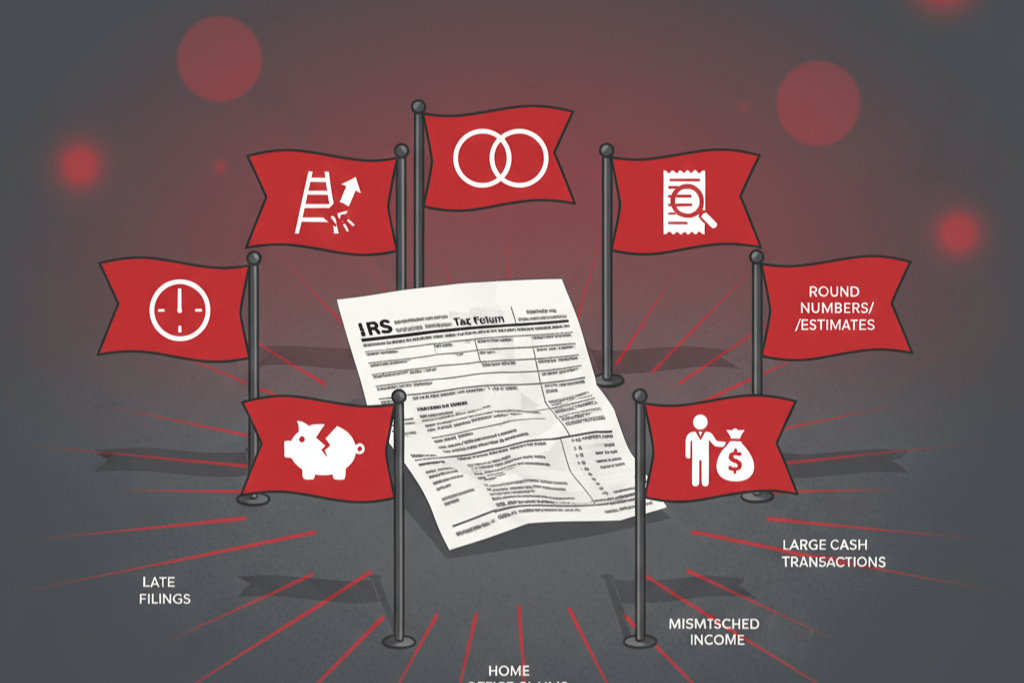
Real Estate Professional Status (REPS) claims draw more IRS attention than almost any other position on individual tax returns. The reason is simple math: REPS allows taxpayers to convert large passive rental losses into deductions against active income, reducing taxable income by tens or hundreds of thousands of dollars. The IRS wants to verify that taxpayers claiming these substantial deductions actually qualify.
Understanding what triggers an audit is the first step toward avoiding one — or at least being fully prepared if it happens. These seven red flags are the patterns that IRS examiners and automated screening systems look for when selecting REPS returns for review.
Red Flag 1: High W-2 Income Combined with Large Rental Losses
This is the most significant trigger. A taxpayer earning $300,000 or more in W-2 income who claims $100,000+ in rental losses stands out in any return screening system.
Why it triggers scrutiny: The IRS knows that a full-time employee logging 2,000+ hours at their job faces an extremely difficult more-than-half test. Claiming REPS while maintaining high-income employment is not impossible, but it requires a highly specific set of circumstances — typically a spouse who qualifies as the real estate professional, or an unusual work arrangement that limits non-real-estate hours.
How to mitigate: If your W-2 income is high, your documentation must be exceptional. The qualifying spouse’s hour log should be detailed, contemporaneous, and clearly demonstrate both the 750-hour and more-than-half tests. If you have a flexible or part-time work arrangement that reduces your W-2 hours, document that arrangement with employer records.
Red Flag 2: Round Numbers and Suspiciously Uniform Hour Logs
An activity log showing entries of exactly 2 hours, 3 hours, or 4 hours — day after day, week after week — signals to the IRS that the log was not maintained in real time. Genuine contemporaneous records show natural variation: 1 hour 35 minutes, 2 hours 10 minutes, 45 minutes, 3 hours 20 minutes.
Why it triggers scrutiny: Examiners are trained to distinguish between real-time records and manufactured ones. Round numbers and uniform patterns suggest the taxpayer worked backward from a target total (751 hours) and distributed it evenly across the year.
Common variations of this pattern:
- Every Saturday shows exactly 4 hours of “property management”
- All entries are in 30-minute increments
- Total hours are suspiciously close to the 750-hour threshold (751, 755, 760)
How to mitigate: Log your activities as they happen, noting the actual time spent in natural increments. If you genuinely spent 2 hours and 0 minutes on something, log it as such — occasional round numbers are fine. The problem is when every entry is round.
Red Flag 3: Vague or Generic Activity Descriptions
Entries like “property management,” “research,” “administrative work,” or “maintenance” without further detail are a red flag. They suggest either that the taxpayer was not actually doing substantive work, or that the log was created after the fact from memory rather than as activities occurred.
Why it triggers scrutiny: Specific descriptions demonstrate genuine involvement. “Coordinated HVAC repair at 456 Oak Avenue — met technician on site, reviewed diagnostic, authorized compressor replacement for $2,800” is a real activity performed by someone managing a property. “Maintenance — 3 hours” could mean anything.
The IRS examiner’s perspective: When an examiner sees vague entries, they will ask for elaboration. If the taxpayer cannot provide additional detail (because the entry was fabricated or the activity happened long ago and they do not remember), the hours are disallowed.
How to mitigate: Write descriptions as if you are explaining the activity to someone who was not there. Include the what, where, and why. You do not need paragraph-long narratives — two sentences that capture the essence of the activity are sufficient.
Red Flag 4: Year-to-Year Inconsistency
Claiming REPS in some years but not others, or showing dramatic swings in claimed hours without a corresponding change in your portfolio, raises questions about whether the qualification is genuine or manufactured.
Patterns that draw attention:
- Qualifying for REPS in a year with large losses but not qualifying in years with smaller losses or gains
- Hours jumping from 300 to 800 without acquiring new properties or changing jobs
- Claiming REPS in alternate years with no business-related explanation
Why it triggers scrutiny: Real estate management is relatively consistent year to year. The same properties require similar attention. If your hours change dramatically, there should be a clear reason (acquired three new properties, completed a major renovation, sold half the portfolio, changed jobs).
How to mitigate: Maintain consistent tracking habits year after year. If your hours change significantly, ensure your log tells the story of why — new properties, major projects, or changes in employment that freed up time for real estate.
Red Flag 5: Claiming REPS While Working in a Demanding Full-Time Profession
Doctors, attorneys, executives, financial advisors, and other high-hours professionals who claim REPS face heightened scrutiny because the IRS understands that these professions typically demand 2,000-3,000+ hours per year.
Why it triggers scrutiny: If you are a surgeon logging 2,500 hours in the operating room and on call, claiming 2,600+ hours of real estate activity is exceptionally difficult to prove. The IRS may contact your employer, review your hospital records, or request your on-call schedules.
Specific challenge: Some professionals underestimate their actual work hours. Salaried employees who work “9 to 5” but routinely stay until 7, respond to emails in the evening, and work occasional weekends may actually be logging 2,200-2,500 hours — far more than they realize. When those hours are compared against claimed real estate hours, the more-than-half test fails.
How to mitigate: Track your non-real-estate work hours honestly and in detail. If you work in a demanding profession, REPS typically requires that your spouse qualify instead. If you are the qualifying spouse, your professional schedule must genuinely permit the required real estate hours.
Red Flag 6: Significant Use of Property Management Companies
Using a professional property management company while claiming REPS raises an obvious question: what work are you doing if you are paying someone else to manage your properties?
Why it triggers scrutiny: Property managers handle tenant placement, rent collection, maintenance coordination, vendor management, and sometimes bookkeeping. If you are paying a company to perform these tasks, the IRS will scrutinize any claimed hours that overlap with the manager’s scope of work.
Situations that look worse:
- Full-service property management agreement covering all aspects of operations
- High management fees suggesting comprehensive service (10%+ of gross rent)
- Out-of-state properties where personal involvement is logistically challenging
- Claiming hundreds of hours on a property managed by a professional team
How to mitigate: If you use a property manager, your log must clearly distinguish between what the manager does and what you personally handle. Focus on activities that are genuinely separate: strategic decisions, capital improvement planning, financial oversight, acquisition and disposition management, tenant selection, and regular inspections. Keep the property management agreement on file, as the examiner will request it.
Red Flag 7: Reconstructed or Late-Created Documentation
The IRS can often tell when a log was created after the fact. Digital documents have metadata (creation dates, modification dates). Paper logs examined by a forensic document expert can reveal that all entries were written at the same time (same ink, same pen pressure, no natural wear progression).
Signs of reconstruction that examiners look for:
- A log that appears in pristine condition with no corrections, cross-outs, or variations
- All entries in identical formatting with no evolution in style over 12 months
- Digital file creation date that postdates the tax year
- Log entries that are too detailed for distant dates (nobody remembers the exact conversation they had with a plumber 11 months ago)
- No log produced until the audit notice is received
Why it triggers scrutiny: A reconstructed log is not a contemporaneous record. Even if the taxpayer genuinely performed the work, a reconstructed log cannot satisfy the documentation standard the IRS expects. The Tax Court has consistently upheld disallowance of REPS claims when the log was clearly created after the fact.
How to mitigate: Maintain your log throughout the year. If you use a digital system, entries are automatically timestamped. If you use a spreadsheet, save periodic versions (monthly or quarterly) to demonstrate ongoing maintenance. Export reports regularly so you have dated evidence of contemporaneous tracking.
When Multiple Red Flags Combine
Any single red flag may not trigger an audit on its own. But combinations are particularly dangerous:
- High W-2 income + vague log entries + use of a property manager = very high audit risk
- Round numbers + total hours barely exceeding 750 + reconstructed log = almost certain challenge if audited
- Demanding profession + inconsistent year-to-year claiming + out-of-state properties with management = a case the IRS is likely to pursue
The more red flags present on a return, the higher the likelihood of selection and the harder the audit will be to survive.
The Good News: Every Red Flag Has a Solution
None of these red flags are disqualifying conditions. You can have high W-2 income, use a property manager, and work in a demanding profession — and still qualify for REPS if your spouse meets the tests, your documentation is strong, and your hours are genuine.
The red flags are not about whether you qualify. They are about whether the IRS chooses to verify your claim. And if they do, the quality of your documentation determines the outcome.
Frequently Asked Questions
What is the overall audit rate for REPS claims?
The IRS does not publish specific audit rates for REPS claims. General individual audit rates are below 1% for most income levels but significantly higher for high-income taxpayers and those with large Schedule E losses. REPS claims with the red flags described in this article face meaningfully elevated audit probability.
Can I preemptively contact the IRS to confirm my REPS qualification?
No. The IRS does not issue advance rulings or confirmations on REPS qualification. You claim the status on your return and the IRS may choose to examine it. Maintaining excellent documentation is your best form of preemptive defense.
If I am selected for audit, does that mean my claim is wrong?
Not at all. Audit selection does not imply wrongdoing. Many audited REPS claims are sustained in full because the taxpayer had strong documentation. An audit is a verification process, not an accusation.
Does filing an extension increase my audit risk?
No. Filing an extension is common and does not affect audit selection. However, it does extend the statute of limitations, giving the IRS more time to select your return for examination.
Can I reduce my audit risk by claiming smaller rental losses?
Theoretically, smaller losses reduce the incentive for the IRS to audit. But deliberately limiting your legitimate deductions to avoid an audit is costly. A better strategy is to claim your full deductions and maintain documentation that supports them.
Does having a CPA prepare my return reduce audit risk?
A professionally prepared return may have fewer computational errors that trigger automated screening. However, the IRS does not exempt CPA-prepared returns from audit. Your CPA’s role is to prepare an accurate return and help you survive an audit, not prevent one.
How quickly will I know if I am being audited?
The IRS typically initiates examinations within 1-2 years of filing, though they can go back up to 3 years (or 6 years for substantial understatements). You will receive a written notice if your return is selected.

Key Takeaways
- High W-2 income with large rental losses is the top audit trigger — exceptional documentation is essential
- Round numbers and uniform patterns signal a manufactured log; natural variation is more credible
- Vague descriptions invite scrutiny; specific, detailed entries demonstrate genuine activity
- Year-to-year inconsistency suggests hours are being fabricated to match tax outcomes
- Demanding full-time professions make the more-than-half test nearly impossible; spousal qualification is usually the solution
- Property management companies raise questions about what the taxpayer personally does — clearly delineate responsibilities
- Reconstructed logs are the most damaging evidence in a REPS audit; contemporaneous records are essential
How REPSLog Eliminates the Biggest Red Flags
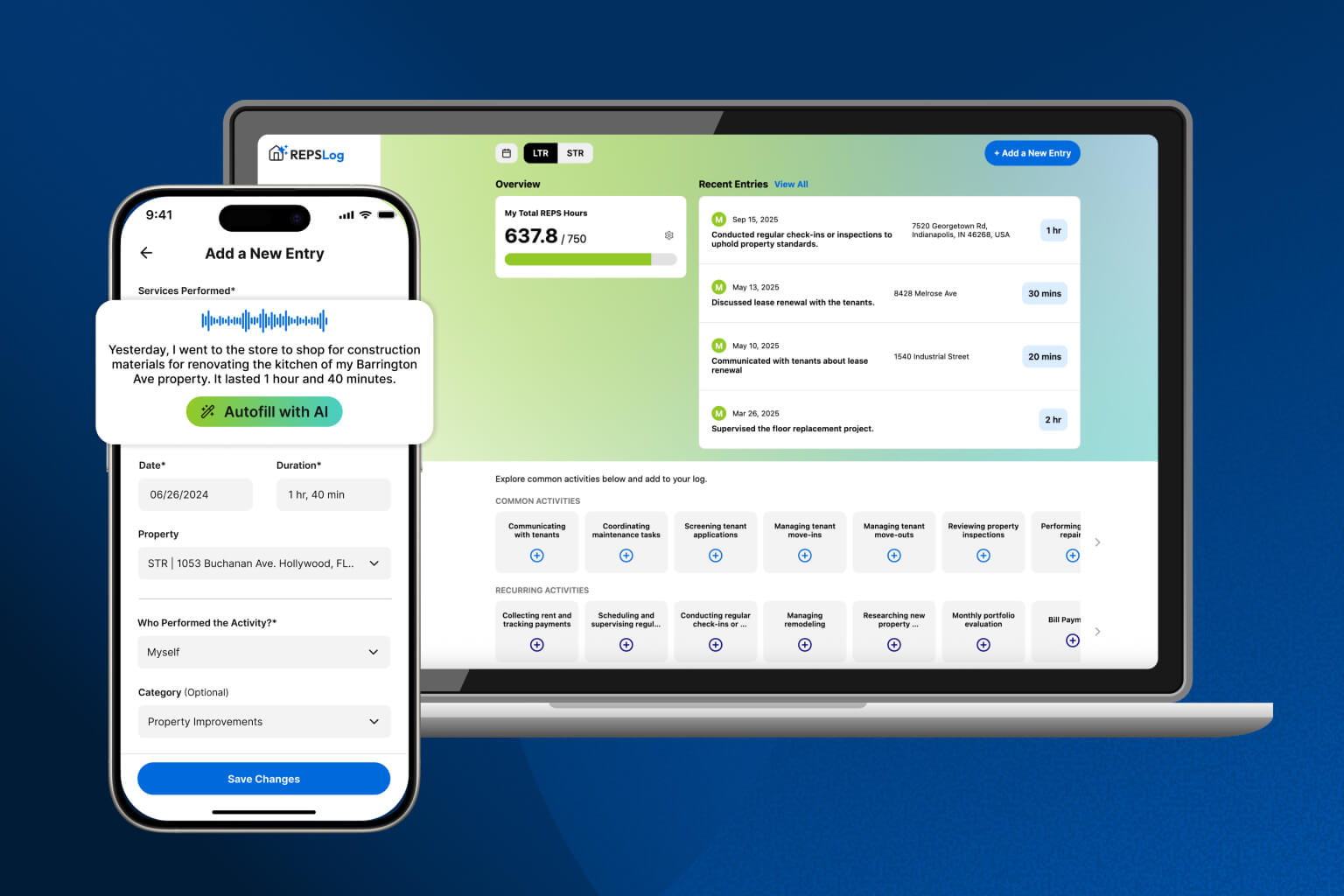
The most dangerous red flags — reconstructed logs, vague descriptions, round numbers, and inconsistent tracking — are all products of a poor documentation system. REPSLog eliminates them by design.
Every entry is automatically timestamped when created. Property tags and activity categories prompt specific descriptions. Duration is logged in exact minutes. Running totals let you monitor your progress throughout the year, not just at tax time. And periodic exports create a paper trail proving your log was maintained contemporaneously.
You cannot control whether the IRS selects your return. You can control the quality of your records when they do.
Available on iOS and Android, or on the web at app.reps-log.com. Start tracking your hours free →

This article is for educational purposes only and does not constitute tax or legal advice. Consult a qualified tax professional for guidance tailored to your situation.