Updated September 2026 for the 2026 tax year.
If you own a short-term rental and want to use the STR loophole, the question that decides everything is simple: what counts toward material participation hours? The IRS does not publish a checklist for Airbnb and Vrbo hosts. Below are 50 real-world examples of STR work that generally counts, 10 that generally does not, how to choose between the 500-hour and 100-hour tests, and the rule that trips up more hosts than any other: the 100-hour test’s comparison with everyone else who works on your property.
This post is the short-term rental version of our 50 material participation examples for REPS and the STR loophole. For how the loophole works as a whole, start with our STR loophole guide.
Key facts for 2026
- The 7-day rule comes first. A property whose average guest stay is 7 days or less (or 30 days or less with significant personal services) is not a “rental activity” under the passive loss rules. See the 7-day rule.
- Then you must materially participate. The IRS has 7 material participation tests, and you only need to pass one. Most hosts use one of three: more than 500 hours, more than 100 hours and not less than any other individual, or substantially all of the participation.
- If both are met, the losses are non-passive and can offset W-2 and other income, without Real Estate Professional Status.
- Your spouse’s hours count with yours. Your cleaner’s, co-host’s and property manager’s hours never count for you, but they are what the 100-hour test compares you against.
- Why it matters in 2026: the One Big Beautiful Bill Act (July 2025) permanently restored 100% bonus depreciation for property acquired after January 19, 2025, so a cost segregation study can create a large first-year loss. Material participation decides whether you can use it this year.
50 STR Activities That Generally Count Toward Material Participation
These count when you (or your spouse) do the work yourself, for a property that is available for rent. Log each one with the date, the time spent, the property and who did it.
Guest communication and reservations
- Answering booking inquiries and pre-arrival questions
- Approving or declining reservation requests
- Sending check-in instructions and house rules
- Handling a guest lockout or access problem
- Resolving a guest complaint during a stay
- Processing a refund, cancellation or damage claim with the platform
- Reading and replying to guest reviews
- Screening guests for large-group or party risk
Many of these take 5 or 10 minutes each. Log them the same day, or they vanish from memory. Booking calendar sync pulls your Airbnb and Vrbo stays into REPSLog and suggests an entry for each one, so no stay goes unlogged. Our post on turning Airbnb and Vrbo bookings into STR hours shows how.
Turnovers and cleaning
- Scheduling cleaners around check-outs and check-ins
- Cleaning the property yourself between guests
- Doing laundry and changing linens yourself
- Inspecting the property after check-out
- Photographing damage and documenting it for a claim
- Staging the property before the next arrival
- Reviewing and approving a cleaner’s checklist or photos
- Finding and training a new cleaner
Pricing, listing and marketing
- Adjusting nightly rates and minimum stays
- Setting up or tuning dynamic pricing rules
- Managing the booking calendar and blocking dates
- Writing or updating the listing description
- Arranging and directing a photo shoot
- Syncing calendars across Airbnb, Vrbo and a direct booking site
- Reviewing competing listings to change your own pricing or amenities
- Running your direct booking website or social media for the property
Maintenance, repairs and inspections
- Making repairs yourself
- Getting quotes and hiring a handyman or contractor
- Meeting a contractor on site and supervising the work
- Replacing smoke detector batteries and testing safety devices
- Servicing the hot tub, pool or HVAC yourself
- Seasonal maintenance, such as winterizing or gutter cleaning
- Pest control visits you arrange and attend
- Handling an emergency repair during a stay
Furnishing and upgrades (once the property is in service)
- Choosing and buying replacement furniture
- Assembling and installing furniture or fixtures
- Planning and managing a refresh between seasons
- Installing smart locks, noise monitors or thermostats
- Adding an amenity, such as a game room or EV charger
- Replacing worn linens, towels and kitchenware
Supplies and amenities
- Restocking toiletries, coffee and consumables
- Tracking inventory and ordering supplies
- Preparing welcome baskets or guidebooks
- Changing smart lock codes and checking devices between guests
Admin, finance and compliance
- Recording income and expenses for the property
- Reconciling platform payouts with bookings
- Filing occupancy or lodging tax returns
- Applying for or renewing an STR permit or license
- Handling HOA or city compliance inspections
- Reviewing and renewing the property’s insurance
- Paying vendors and cleaners
- Preparing records for your CPA
Admin counts when it is part of running the rental. Reviewing statements purely as an owner is “investor-type” work and does not count unless you are directly involved in day-to-day management (Treas. Reg. §1.469-5T(f)(2)(ii)).
10 Things That Generally Do NOT Count
- Staying at the property on vacation (these are personal-use days, and they can also limit your deductions)
- Hours your cleaner, co-host or property manager works (they count for them, not you)
- Reviewing a property manager’s monthly owner statement without acting on it
- Reading host forums or watching STR courses
- Browsing listings for ideas you never act on
- Researching new markets or properties you do not buy
- Forming an LLC or other entity work
- Travel to the property where little or no work is done
- Waiting on site with no work performed
- Attending general real estate seminars
500 Hours or 100 Hours: Which Test Fits Your STR?
Every example above counts the same way toward either test. What changes is how many hours you need and whether anyone else’s hours matter. Our page on the 7 material participation tests covers all seven; these are the two most STR hosts rely on.
| 500-hour test (Test 1) | 100-hour test (Test 3) | |
|---|---|---|
| Hours you need in the year | More than 500 (about 10 a week) | More than 100 (about 2 a week) |
| Do other people’s hours matter? | No. Your cleaner, co-host or manager can work any number of hours | Yes. No other individual may have more hours than you |
| Spouse’s hours | Added to yours | Added to yours |
| Best fit | Hosts who use a cleaning company, co-host or property manager, or run a busy property | Hosts who self-manage and do much of the turnover work themselves |
| Main risk | Falling short of 500 over the year | One person outworking you, often the cleaner |
The 500-hour test is the simplest to defend because it needs no comparison: you prove your own hours and nothing else. The 100-hour test needs far fewer hours, but you also need a credible record of everyone else’s time. Many hosts track toward 100 and keep 500 as the fallback. Our post on choosing the 100 or 500-hour test walks through real scenarios, and tracking goals in REPSLog let you set either target per property.
The Rule That Trips Up Hosts on the 100-Hour Test: “Not Less Than Any Other Individual”
The 100-hour test (Treas. Reg. §1.469-5T(a)(3)) has two parts. You need more than 100 hours, and your participation must be not less than that of any other individual, including people who do not own the property. Your spouse’s hours are added to yours. Everyone else is compared one person at a time.
Two details matter in practice:
- Each individual is compared separately. If a cleaning company sends three cleaners who each work 60 hours, you are compared with each 60-hour cleaner, not with the company’s 180 hours. That is why you need the names, or at least the per-person hours.
- A co-host or property manager is usually the biggest risk. If they log more hours than you, the 100-hour test fails, and the facts-and-circumstances test is not available when someone else is paid to manage the property.
| Person | Hours this year | Counts toward your total? |
|---|---|---|
| You | 115 | Yes |
| Your spouse | 30 | Yes (combined: 145) |
| Cleaner A | 90 | No, compared with your 145 |
| Cleaner B | 70 | No, compared with your 145 |
| Handyman | 25 | No, compared with your 145 |
In this example you pass: 145 hours is more than 100 and more than any other individual. Hand turnovers to one full-time cleaner who works 160 hours, and you fail the 100-hour test and need more than 500 hours instead. Our posts on the 100-hour test and tracking contractor hours go deeper.
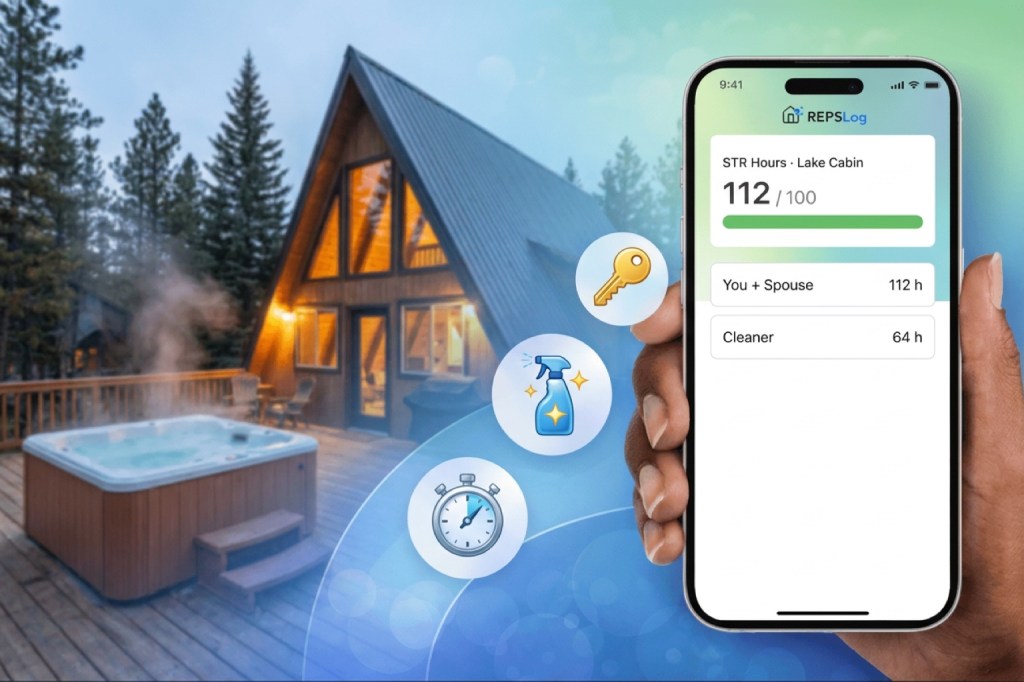
In REPSLog, participants record who did each activity: your own and your spouse’s hours are added together, and your cleaner’s or co-host’s hours appear next to yours without being added. STR loophole tracking then shows a 100 or 500-hour counter for each short-term rental with that breakdown.
Gray Areas to Discuss With Your CPA
- Setup before the first guest. Furnishing and preparing a property before it is available for rent may not count toward the rental activity for that year. Many CPAs only count hours from the date the property is placed in service.
- Travel. Travel to the property counts, if at all, only when it is for work you then do there. Log what you did on site, not just the trip.
- Remote management. Messages and pricing changes count, but a year of five-minute tasks rarely adds up to 100 hours on its own. Be honest with the durations.
- More than one property. Each STR is usually tested on its own, so a host with three cabins needs to pass for each one. Multiple properties in REPSLog keeps the hours apart.
How to Log STR Hours So They Hold Up
The IRS and the Tax Court look for a log written at or near the time of the work, with the property, the date, the duration, what you did and who did it. A total rebuilt at tax time is the weakest kind of evidence. A few habits make it easy:
- Tap the same turnover or restock tasks from recurring activities instead of typing them each time.
- Time on-site work live with the built-in timer, or dictate the entry with voice logging on the drive home.
- Attach the cleaner’s invoice, the repair receipt or the damage photo with evidence attachments.
- Log your cleaner’s and co-host’s hours too, as participants, so the comparison is on paper.
- At tax time, send your CPA the CPA-ready export: your STR entries come in their own file, with who did each activity and when each entry was written.
Frequently Asked Questions
Does messaging Airbnb guests count toward material participation?
Yes, when you do it yourself. It is operating the rental. Log the real time spent, not a flat hour per message.
Do my cleaner’s hours count toward my 100 hours?
No. They count against you: the 100-hour test requires that no other individual, cleaner included, spent more time on the property than you and your spouse.
Does my spouse’s time count for the STR loophole?
Yes. For material participation, your spouse’s hours are added to yours, even if your spouse is not on the title. See whose hours count.
Can I use the STR loophole with a property manager or co-host?
It is harder. You still need to pass a test, and with the 100-hour test the manager’s or co-host’s hours are the ones to beat. Many hosts who use a full-service manager switch to the 500-hour test or do not qualify.
Should I aim for 100 hours or 500 hours?
If anyone else works more than a few hours a week on the property, plan for 500: it does not care how much your cleaner or co-host works. If you self-manage and do most turnovers yourself, 100 hours is usually reachable, as long as you log everyone else’s time too.
Does furnishing a new Airbnb count?
Work on an STR that is already available for rent generally counts. Work done before the first booking is available is a gray area; ask your CPA.
Is the STR loophole the same as REPS?
No. The STR loophole is about one property’s activity and does not need 750 hours. REPS is a status for the person. Our REPS vs STR loophole comparison explains when each fits.
Please Note: REPSLog is NOT a lawyer or CPA, and this is not legal or financial advice. Please consult a qualified professional for guidance regarding IRS rules and regulations.
Do this in REPSLog
- Booking Calendar Sync (Airbnb, Vrbo and any iCal): pull every Airbnb, Vrbo or other booking into your log and get an entry suggested per stay.
- STR Loophole Tracking: a 100 or 500-hour counter per short-term rental, with hours by participant.
- Participants: log who did each activity, so spouse hours count where allowed and contractor hours stay separate.
Step by step in the Help Center: how to use it. Try REPSLog free for 14 days on iPhone, Android or the web app.