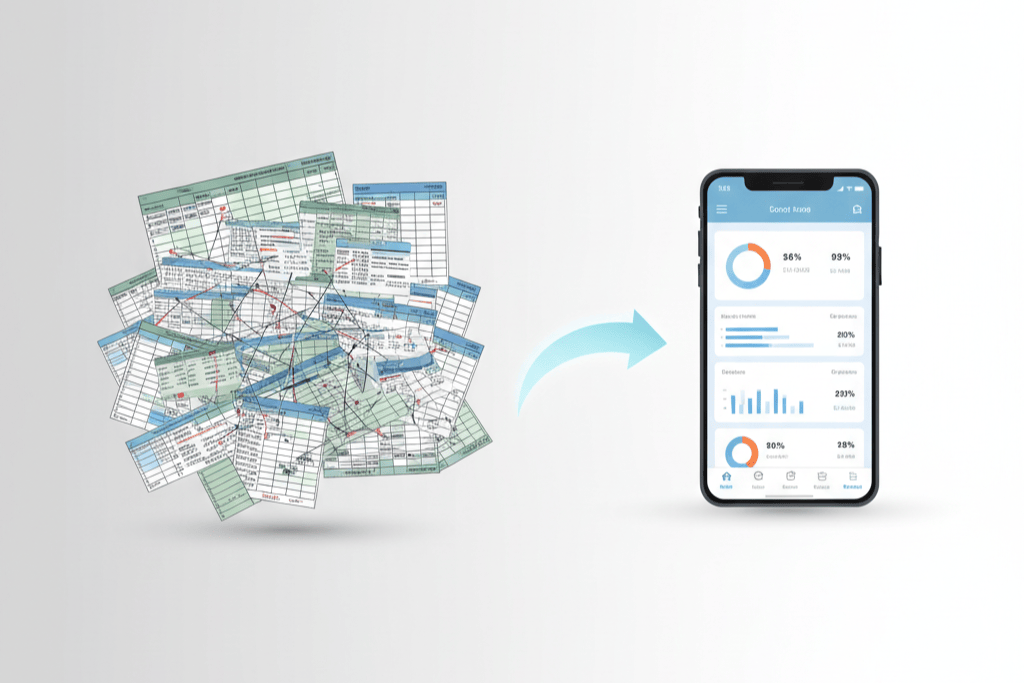
Every REPS taxpayer needs a tracking system. The question is what kind. Some investors swear by their custom Excel spreadsheet, meticulously maintained with color-coded tabs and formulas. Others use a dedicated app. Still others use a paper notebook, a wall calendar, or (disturbingly often) nothing at all until tax season forces a panicked reconstruction.
This is not a marketing piece disguised as an article. Spreadsheets genuinely work for some investors. Apps work better for others. The right choice depends on your habits, your portfolio complexity, and how seriously you take audit risk. What matters most is not the tool — it is whether you actually use it consistently throughout the year. A perfectly designed spreadsheet that sits empty until December is worse than a basic app used daily.
That said, the two approaches have real differences in how they handle the specific challenges of REPS tracking, and those differences can affect the defensibility of your documentation in an audit.
What the IRS Looks For
Before comparing tools, understand what the IRS actually evaluates when reviewing REPS documentation:
Contemporaneous Records
The gold standard is records created at or near the time the work was performed. Tax Court cases have consistently found that contemporaneous logs are more credible than reconstructed estimates. In Truskowsky v. Commissioner, the court rejected hours that were estimated after the fact. In Moss v. Commissioner, the court accepted a detailed daily log as strong evidence of hours worked.
“Contemporaneous” does not require logging the instant you finish a task. Logging within 24 to 48 hours of the activity is generally considered contemporaneous. Logging weeks or months later is reconstruction.
Specificity and Detail
Each entry should identify the date, the approximate hours spent, the property involved, and a description of the activity specific enough for an examiner to understand what was done. “Property management — 3 hours” is vague. “Showed unit 2B at 456 Oak Ave to prospective tenant, discussed lease terms, processed application — 1.5 hours” is specific.
Consistency
A log that shows entries every day or every few days throughout the year is far more credible than one that has entries bunched at the beginning and end of the year with gaps in between. Consistent logging patterns indicate a genuine tracking habit, not a fabrication.
Corroboration
While a log alone can be sufficient, logs supported by external evidence (receipts, photos, text messages, contractor invoices) are much stronger. The tracking system should make it easy to maintain this supporting documentation.
The Spreadsheet Approach
How Most Investors Use Spreadsheets
A typical REPS spreadsheet has columns for date, hours, property, activity category, and description. Some investors add columns for the qualifying category (mapping to IRC 469(c)(7)(C)), running totals, and notes. The more sophisticated versions include formula-driven dashboards showing cumulative hours, pace tracking, and breakdown by property.
Spreadsheet Strengths
Flexibility. Spreadsheets can be customized to fit any workflow. You can add columns, create formulas, build pivot tables, and design the layout that makes the most sense for your portfolio. If you want a column for “corroborating evidence” or a separate tab for non-real-estate hours, you can add them in minutes.
Familiarity. Most investors already know how to use Excel or Google Sheets. There is no learning curve. You open the spreadsheet, add a row, and move on.
Cost. Spreadsheets are free (Google Sheets) or included in software you already pay for (Microsoft Office). There is no subscription or app purchase.
Portability. Spreadsheet files can be easily shared with your CPA, stored in cloud drives, and backed up. They are not tied to any single platform or vendor.
Full control. Your data lives in your file. You are not dependent on a third-party service to access your records. If a software company goes out of business, your spreadsheet still exists.
Spreadsheet Weaknesses
The timestamp problem. This is the most significant weakness of spreadsheets for REPS tracking. When you add a row to a spreadsheet, there is no automatic, tamper-resistant timestamp proving when the entry was created. An IRS examiner looking at a spreadsheet has no way to verify whether the entries were logged contemporaneously or reconstructed en masse the week before the audit.
Google Sheets has a version history feature that shows when changes were made, which provides some evidence of when entries were added. But version history can be cleared, and its format is not designed for audit presentation. Excel files stored locally have modification dates but no per-cell edit timestamps.
This is not a hypothetical risk. In multiple Tax Court cases, the IRS has challenged the timeliness of activity logs. A spreadsheet without robust timestamp evidence is harder to defend than a system with automatic, immutable timestamps.
Inconsistent logging habits. Spreadsheets require self-discipline. There is no reminder to log, no notification that you have not logged in three days, no visual progress indicator telling you that you are falling behind pace. The friction of opening a spreadsheet, navigating to the right tab, and adding a row is low — but it is higher than tapping a phone app that is already on your home screen.
No built-in progress tracking. A spreadsheet can calculate your running total with formulas, but it does not proactively tell you whether you are on pace for 750 hours, whether the more-than-half test is trending favorably, or whether material participation is at risk. You have to build these dashboards yourself and remember to check them.
Manual data entry increases error risk. Typos, misformatted dates, incorrect property names, and formula errors can corrupt your data without you noticing. A misspelled property name might cause your per-property totals to be wrong. A broken formula might overcount your hours. These errors are your responsibility to catch.
Sharing and export limitations. While spreadsheets can be shared, they are not designed to generate the kind of clean, professional reports that CPAs and IRS examiners prefer. You can format printouts, but it takes manual effort.
The App Approach
How REPS Tracking Apps Work
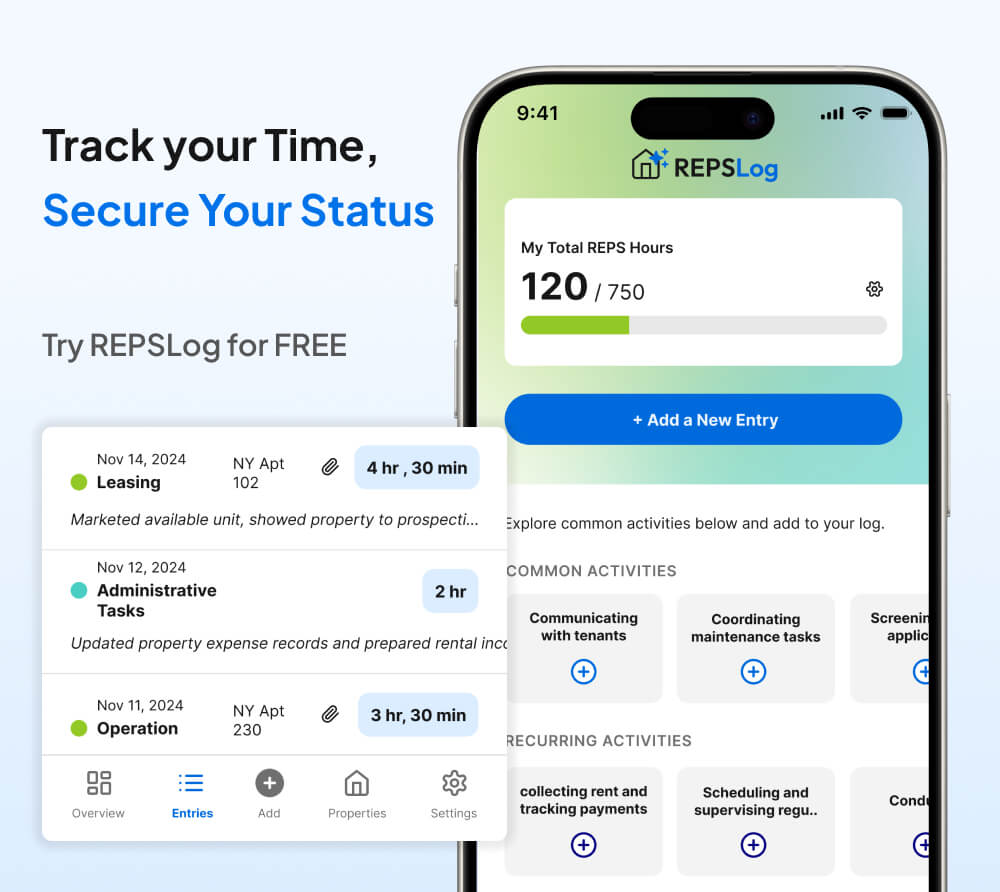
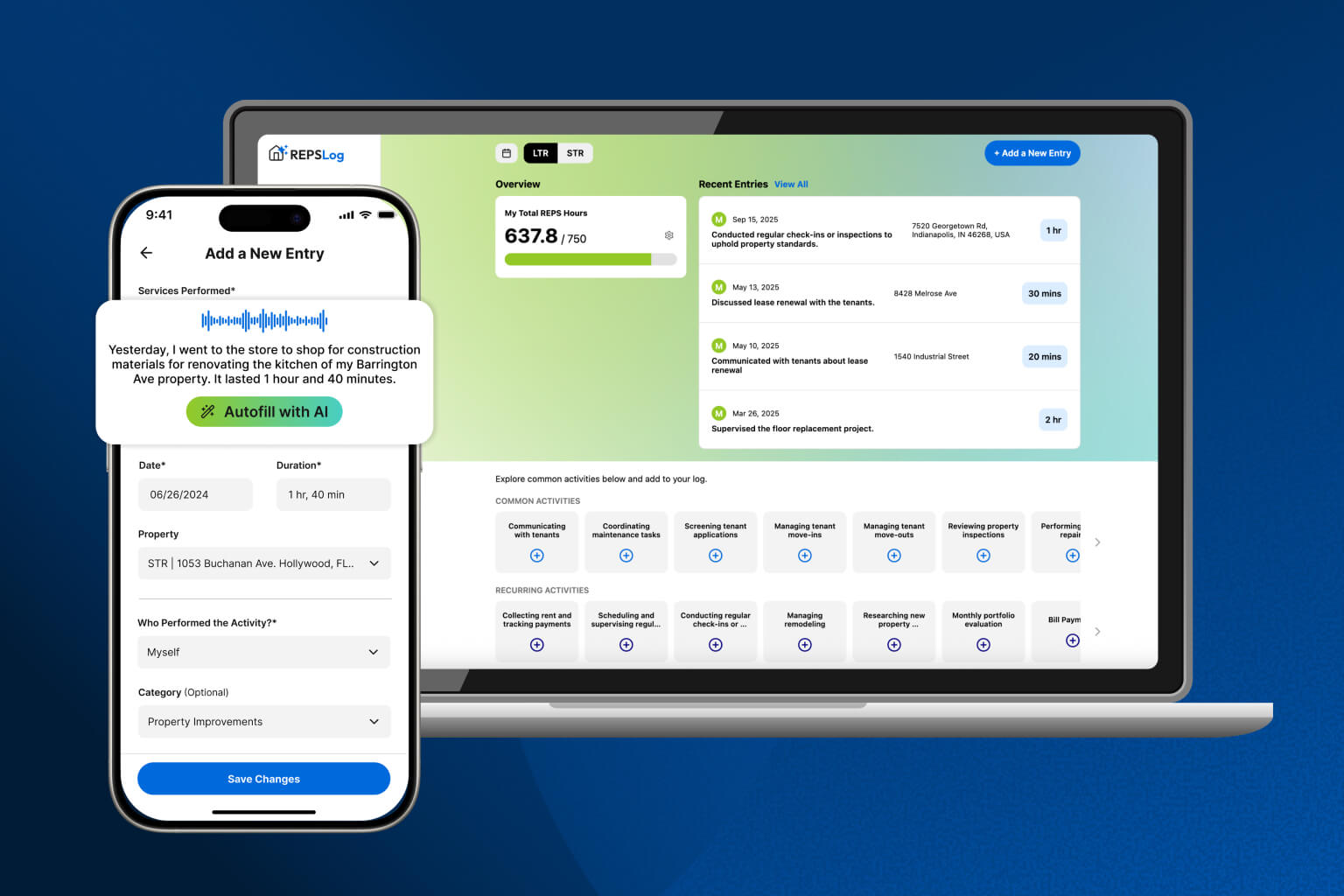
A dedicated REPS tracking app (like REPSLog) provides structured data entry for activity logging. You select a property, choose an activity category, enter the duration and description, and save the entry. The app handles timestamps, running totals, progress tracking, and report generation automatically.
App Strengths
Automatic timestamps. When you create an entry in a well-designed tracking app, the creation time is recorded automatically and cannot be altered after the fact. This provides the contemporaneous evidence that the IRS values most. Each entry carries a digital timestamp proving it was logged on a specific date, not reconstructed months later.
This is the single most important advantage of an app over a spreadsheet for REPS purposes. The timestamp turns your log from a document that could have been created at any time into one that demonstrably was created as you worked.
Lower friction for daily logging. An app on your phone is always accessible. After visiting a property, you can log the entry in 30 seconds while sitting in your car. The lower the friction, the more likely you are to log consistently — and consistency is what the IRS looks for.
Built-in progress tracking. A purpose-built REPS app knows the 750-hour threshold, understands the more-than-half test, and can show you in real time whether you are on pace. This eliminates the need to build and maintain custom dashboards and reduces the risk of a year-end surprise.
Structured data entry reduces errors. When you select a property from a dropdown instead of typing a name, you eliminate spelling inconsistencies. When categories are predefined, you avoid the drift that happens in free-form spreadsheets where “Maintenance” becomes “Repairs” becomes “Fix-up” over the course of a year.
Professional reporting. A REPS app can generate clean, organized reports formatted for CPA review or IRS presentation. These reports typically include summaries by property, category breakdowns, running totals, and individual entry details — all formatted consistently.
Reminders and accountability. Some apps can remind you to log if you have not done so recently, helping maintain the daily logging habit that produces the most credible records.
App Weaknesses
Cost. REPS tracking apps typically require a subscription or one-time purchase. This is a real cost, though it is generally modest relative to the tax savings at stake (a REPS claim can save tens of thousands in taxes; the app might cost a few dollars per month).
Vendor dependency. Your data lives in the app. If the app shuts down, you need to export your data. A reputable app provides export functionality, but the risk exists. Always ensure your app allows data export.
Less flexibility. An app’s data structure is fixed by the developer. If you want a custom field or a specific report format, you are limited to what the app provides. Spreadsheets offer unlimited customization; apps offer structured, purpose-built functionality.
Learning curve. Any new tool requires time to learn. Most REPS apps are simple, but there is still a setup period for adding properties, understanding categories, and establishing your workflow.
The Timestamp Issue: Why It Matters More Than You Think
The timestamp issue deserves deeper examination because it is the factor most likely to determine the outcome of a REPS audit challenge.
In an audit, the IRS examiner’s primary objective is to determine whether you actually spent the claimed hours on qualifying activities. Your log is evidence, and like all evidence, its credibility depends on when and how it was created.
Scenario 1: App with automatic timestamps. You present a log showing 820 entries over 12 months, each with a system-generated timestamp showing it was created within a day or two of the activity date. The entries show a consistent daily logging pattern with natural variation (some days have many entries, some have few, weekends and holidays show different patterns). An examiner reviewing this log sees a credible, contemporaneous record.
Scenario 2: Spreadsheet without timestamp evidence. You present a spreadsheet with 820 rows of data. The file modification date shows it was last edited in March (when you prepared your tax return). There is no evidence that individual entries were created on the dates they claim. An examiner reviewing this log cannot distinguish between a diligently maintained contemporaneous record and a fabrication created in a weekend to support a REPS claim.
In Scenario 2, you may be telling the truth — maybe you did log every entry on the day it happened. But you cannot prove it. And in an audit, the burden of proof is on you.
What About a Hybrid Approach?
Some investors use both tools: an app for daily logging (capturing the timestamp and making the habit easy) and a spreadsheet for analysis (pivoting data, running custom calculations, comparing to non-real-estate hours). This can work well if you are disciplined about maintaining both systems.
The key is that your primary record — the one with the timestamps and daily entries — should be the app. The spreadsheet becomes a supplementary analytical tool, not the primary evidence of your hours.
What About Paper Logs?
Paper logs (notebooks, printed calendars, day planners) are the oldest form of contemporaneous record-keeping and were the primary method before digital tools existed. Paper logs carry their own credibility: entries written in ink, with naturally varied handwriting and occasional cross-outs, are difficult to fabricate convincingly.
However, paper logs have significant drawbacks:
- They cannot be searched, sorted, or aggregated without manual effort
- They can be lost, damaged, or destroyed
- They are difficult to share with CPAs or present in an audit
- Running totals must be calculated manually
- There is no backup
If you prefer paper, consider photographing your daily entries with a timestamped camera app as a backup. But for most investors, digital tools offer a better combination of convenience, credibility, and organization.
Making the Decision
Choose a spreadsheet if:
- You have a simple portfolio (one or two properties)
- You are highly disciplined about daily data entry
- You want maximum flexibility in your tracking format
- You are comfortable building your own progress dashboards
- You use Google Sheets with version history enabled (providing some timestamp evidence)
Choose an app if:
- You want automatic timestamps on every entry for audit defensibility
- You need built-in progress tracking toward the 750-hour and more-than-half tests
- You have multiple properties and want structured, per-property tracking
- You value the convenience of mobile logging (log from anywhere, anytime)
- You want professional reports for your CPA
The most important decision is not which tool to choose — it is to choose one now and use it consistently from January 1 through December 31.
Key Takeaways
- The IRS values contemporaneous, specific, consistent logs. Whatever tool you use, these three qualities determine your documentation’s defensibility.
- Spreadsheets offer flexibility and control but lack automatic timestamps, which are increasingly important in audits.
- Apps provide timestamps, progress tracking, and structured data entry at the cost of flexibility and a subscription fee.
- The timestamp issue is the most significant practical difference. An app with automatic, immutable timestamps provides stronger evidence of contemporaneous record-keeping.
- Consistency matters more than the tool. A spreadsheet used daily beats an app used sporadically.
- Consider a hybrid approach: app for daily logging (timestamps), spreadsheet for analysis (custom calculations and comparisons).
Frequently Asked Questions
Can the IRS reject a REPS claim based solely on the type of tracking tool used?
No. The IRS evaluates the quality of your records, not the format. A well-maintained, detailed spreadsheet is better than a poorly maintained app. However, the automatic timestamps provided by an app give your records an inherent credibility advantage that spreadsheets lack.
Does Google Sheets version history qualify as a timestamp?
Google Sheets version history shows when changes were made to the file, which provides some evidence that entries were added at specific times. However, it is not designed for audit presentation, it can be difficult to interpret, and it does not provide per-cell timestamps. It is better than nothing but weaker than purpose-built app timestamps.
How often should I log entries?
Ideally, log each activity on the day it is performed. If that is not practical, log within 48 hours. Weekly batch logging is acceptable but less defensible. Monthly or quarterly logging is reconstruction, not contemporaneous record-keeping.
What if I have years of REPS data in a spreadsheet? Should I switch to an app?
You do not need to migrate historical data. Keep your spreadsheet records for prior years and start using an app going forward. The app provides stronger documentation from the date you start using it. Your prior-year spreadsheet records are what they are — they will not improve by being transferred to a different format.
Can my CPA tell me which tool to use?
Most CPAs do not prescribe specific tools, but a CPA experienced in REPS will tell you that contemporaneous records with detailed descriptions are essential. If your CPA recommends reconstructing your hours at tax time instead of tracking them throughout the year, that is a red flag about their REPS experience.
Is there a minimum level of detail the IRS requires in each entry?
There is no statutory minimum, but Tax Court cases provide guidance. At a minimum, each entry should include the date, approximate hours, the property (or “all properties” for portfolio-level work), and a description specific enough that an examiner can determine whether the activity qualifies. “Property management” is too vague. “Inspected unit 3 and coordinated gutter cleaning with contractor” is sufficient.
What about calendar apps like Google Calendar?
Calendar entries can serve as corroborating evidence (showing appointments, property visits, and meetings) but are not ideal as your primary REPS tracking tool. They do not easily aggregate hours by property or category, do not provide running totals, and were not designed for the kind of detail REPS documentation requires.
Disclaimer: This article is for educational purposes only and does not constitute tax, legal, or financial advice. Tax laws are complex and subject to change. Consult a qualified tax professional before making any decisions related to Real Estate Professional Status.
Track Your REPS Hours with Timestamps That Matter
REPSLog provides automatic timestamps on every entry, built-in progress tracking toward the 750-hour threshold, and professional reports for your CPA — all from your phone, tablet, or computer.
Available on iOS | Android | Web