You’ve heard about Real Estate Professional Status. You understand the tax benefits. Maybe your CPA told you to “start keeping a log.” But now you’re staring at a blank page wondering: what exactly do I write down? How much detail does the IRS want? How do I make sure I don’t miss anything?
This guide walks you through setting up a tracking system from scratch, explains what belongs in every entry, identifies the activities that count (and the ones that don’t), and gives you a framework for staying on pace throughout the year. Whether you’re pursuing full REPS qualification or the STR loophole, disciplined tracking is the foundation that makes everything else possible.
Why Tracking Matters More Than You Think
Here’s the reality most investors don’t appreciate until it’s too late: the IRS doesn’t just ask whether you worked 750 hours (the legal threshold is more than 750 hours, so aim for at least 760 to build a margin). They ask you to prove it. And the standard of proof is specific.
Tax Court case after case has shown that investors who cannot produce a detailed, contemporaneous log of their real estate activities lose their REPS status in audit, even when they genuinely performed the hours. The court in Hairston v. Commissioner (T.C. Memo 2019-104) denied REPS to a taxpayer who logged 932 hours but couldn’t provide sufficiently detailed records. The hours were likely real. The documentation wasn’t good enough.
A contemporaneous log means records created at or near the time the work was performed. Sitting down in March of the following year and reconstructing your entire year from memory is not contemporaneous. The IRS and Tax Court have repeatedly rejected after-the-fact reconstructions, even detailed ones.
Starting your tracking system correctly on day one is an investment that protects every dollar of deductions you’ll claim.
The Five Elements of Every Log Entry
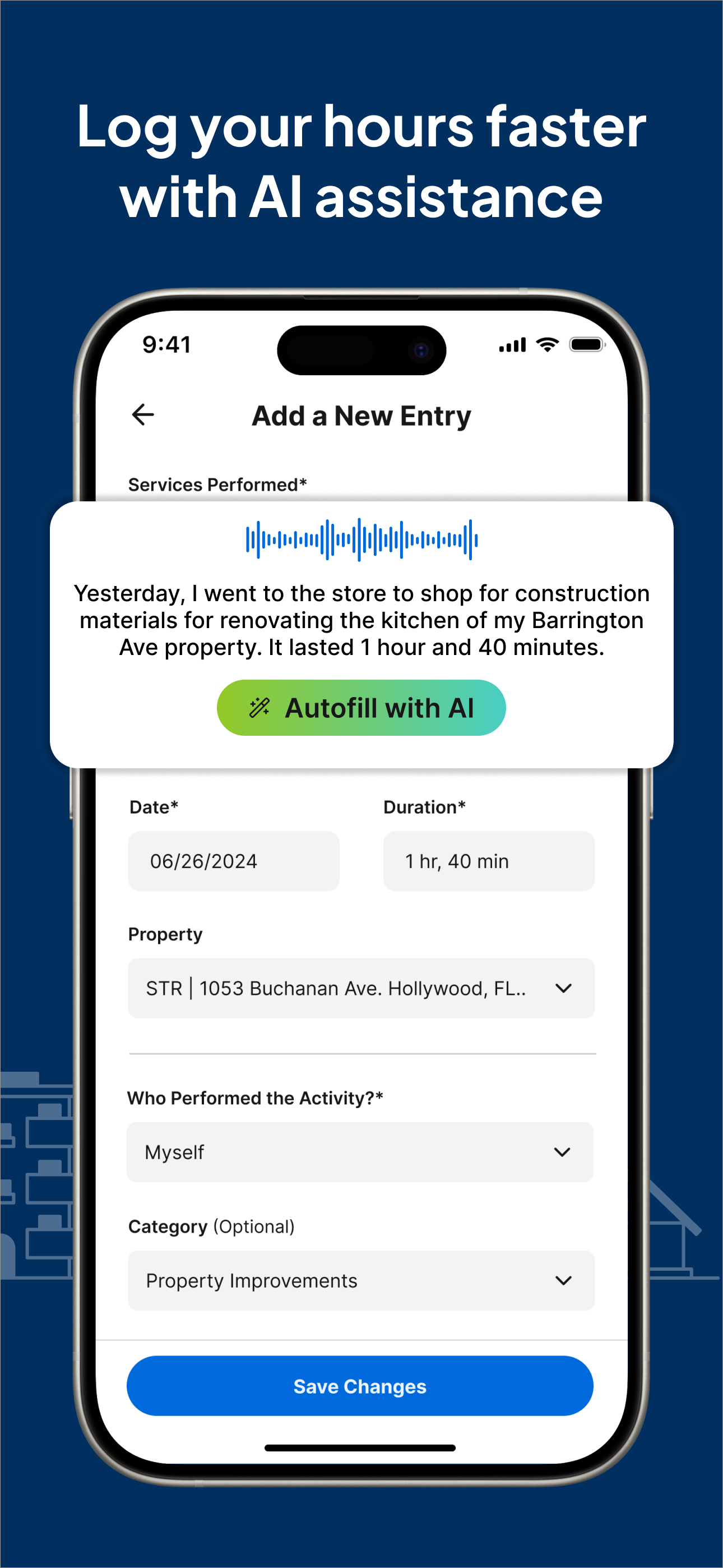
The IRS expects each entry in your contemporaneous log to capture five pieces of information. Think of these as the non-negotiable fields for every line item:
1. Date
The specific calendar date when you performed the activity. Not “the week of March 10” or “sometime in Q1.” The exact date. If you did real estate work on Tuesday, March 12, that’s what gets recorded.
2. Time Spent
The duration of the activity, expressed in hours and minutes. Precision matters here. Recording “1 hour 20 minutes” is credible. Recording exactly “2.00 hours” for every single entry across an entire year is a red flag that suggests estimation rather than actual tracking. Real work doesn’t happen in perfectly round numbers every day.
Use actual time tracking rather than estimates. If you spent 47 minutes coordinating with a contractor, log 47 minutes, not “1 hour.” If you spent 2 hours and 15 minutes on property inspections, record exactly that. The precision itself is evidence that you tracked in real time.
3. Activity Description
A specific description of what you did. This is where most investors fall short, and it’s the element that carries the most weight in an audit.
Weak descriptions (likely to be challenged):
- “Worked on property”
- “Property management”
- “Rental stuff”
- “Maintenance”
Strong descriptions (audit-ready):
- “Called ABC Plumbing to schedule repair for leaking kitchen faucet at 123 Oak St, confirmed Tuesday appointment”
- “Drove to 456 Elm Ave for quarterly inspection, checked HVAC filters, documented roof condition, photographed gutter damage”
- “Reviewed three tenant applications for Unit B at 789 Pine Rd, ran background checks through TransUnion, discussed top candidate with spouse”
- “Updated pricing for June 15-30 on Airbnb and VRBO listings for Lake Cabin, adjusted based on comp analysis of five nearby properties”
The difference is specificity. An auditor reading your log should be able to understand exactly what you did without asking follow-up questions. Think of it as writing for someone who has never seen your property and doesn’t know your tenants.
4. Property Association
Which property was the work related to? Every entry should be linked to a specific property in your portfolio. If you own three rentals, the IRS wants to see which property each hour applies to.
This matters for two reasons. First, if you’re using the STR loophole, material participation is evaluated per property (or per grouped activity). You need property-level hour totals to demonstrate you met the test for each one. Second, even under REPS with a grouping election, maintaining property-level records demonstrates organizational rigor that strengthens your overall credibility.
Some activities span multiple properties, like driving to inspect two adjacent rentals in a single trip or reviewing a portfolio-wide insurance renewal. In those cases, allocate time proportionally or note that the activity covered multiple properties with a reasonable split.
5. Category of Activity
Categorizing your work by type (property management, maintenance, tenant relations, acquisition, bookkeeping, etc.) serves two purposes. It helps you identify whether your activities qualify under IRC Section 469(c)(7)(C), and it gives you a clear picture of where your time is going so you can make adjustments throughout the year.
Qualifying Activity Categories Under IRC Section 469
Not every hour you spend thinking about real estate counts toward REPS. The statute specifically references “real property trades or businesses,” which includes development, redevelopment, construction, reconstruction, acquisition, conversion, rental, operation, management, leasing, and brokerage. Let’s map these to practical activities.
Property Management and Operations
This is typically the largest category for most rental investors and includes everything involved in running your properties as a business:
- Tenant screening (reviewing applications, conducting interviews, running background and credit checks)
- Lease preparation, negotiation, and execution
- Rent collection, payment processing, and follow-up on late payments
- Move-in and move-out inspections with documentation
- Responding to tenant requests and complaints
- Coordinating turnover between tenants (cleaning, painting, minor repairs)
- Setting and adjusting rental rates based on market analysis
- Managing utilities, insurance policies, and property tax payments
- Bookkeeping and financial record-keeping for each property
- Preparing and reviewing monthly/quarterly financial statements
Maintenance and Repairs
Hands-on work and coordination of physical upkeep:
- Performing repairs yourself (plumbing, electrical, painting, landscaping)
- Scheduling and overseeing contractors for repair work
- Obtaining and comparing bids from multiple vendors
- Conducting routine property inspections (seasonal, quarterly, annual)
- Managing capital improvement projects (roof replacement, HVAC installation, renovations)
- Purchasing materials and supplies for property maintenance
Acquisition and Due Diligence
Time spent on acquiring new properties for your portfolio:
- Researching markets and neighborhoods for potential acquisitions
- Analyzing deals (running numbers, evaluating cap rates, assessing cash flow)
- Touring properties and conducting physical inspections
- Negotiating purchase terms with sellers or their agents
- Coordinating with lenders on financing (loan applications, document gathering, closings)
- Reviewing title reports, surveys, inspection reports, and environmental assessments
- Attending closings
Short-Term Rental Operations (for STR Loophole)
If you own properties with average stays of seven days or less:
- Guest communication (inquiries, booking confirmations, check-in instructions, reviews)
- Pricing and revenue management (adjusting rates based on demand, events, seasonality)
- Listing creation and optimization (photos, descriptions, amenity updates)
- Coordinating cleaning turnovers between guests
- Restocking supplies and consumables
- Managing reviews and guest feedback
- Platform management across Airbnb, VRBO, Booking.com, or direct booking sites
Travel Time
Driving or traveling to and from your properties for qualifying activities counts. If you drive 45 minutes each way to inspect a rental property, that’s 90 minutes of qualifying time. Keep a mileage log or use a mileage tracking app as supporting evidence. The activity at the destination must itself be qualifying; you can’t count a drive to a real estate seminar.
What Does NOT Count
Understanding exclusions is just as important as knowing what qualifies:
- Investor-type activities: Reviewing your portfolio’s financial performance at a high level, reading market reports for general education, attending investment seminars or conferences that aren’t tied to specific properties you own or are acquiring
- Passive oversight of a property manager: If you hired a full-service manager and your involvement is limited to reviewing monthly statements, those review hours qualify but the scope is narrow. The manager’s hours don’t transfer to you.
- Time on properties you don’t own: Helping a friend manage their rental or volunteering at a real estate nonprofit doesn’t count toward your REPS hours
- General education: Reading books about real estate investing, watching YouTube videos about landlording strategies, or taking courses not connected to a current property or active acquisition
- Financial investment activities: Managing REITs, real estate crowdfunding platforms, or syndication investments where you’re a limited partner
Building the Daily Tracking Habit
The number one reason investors fail to maintain adequate records isn’t lack of time or knowledge. It’s that they never built the habit. Tracking needs to become as automatic as locking the door when you leave the house.
The Two-Minute End-of-Day Rule
Every evening, spend two minutes reviewing what real estate work you did that day and logging it. Not tomorrow. Not this weekend. Today. The longer you wait, the less precise your entries become, and precision is what separates a log that survives an audit from one that doesn’t.
Set a daily reminder on your phone for a consistent time, ideally right after dinner or right before bed. Pair it with an existing habit so it doesn’t feel like an extra task. If you already check your email at 9 PM, log your hours immediately after.
What If You Didn’t Do Any Real Estate Work Today?
Skip the day. Don’t feel compelled to fabricate entries just to show daily activity. Many investors have legitimate stretches of several days with no real estate work, especially if they own long-term rentals with stable tenants. The IRS doesn’t expect you to work on your properties every single day. They expect that when you did work, you documented it accurately.
Batch Logging vs. Real-Time Logging
There are two schools of thought:
Real-time logging means recording each activity as you do it or immediately after. This produces the most accurate entries and is the gold standard for contemporaneous documentation. Apps like REPSLog make this practical by letting you log from your phone in seconds, right from the job site.
End-of-day batch logging means sitting down once at the end of each day and recording everything you did. This is slightly less precise but still qualifies as contemporaneous. Most investors find this approach sustainable.
What you should never do is batch logging on a weekly or monthly basis. By Friday, you’ve forgotten what you did on Monday. By the end of the month, your entries become vague approximations rather than specific records. The IRS calls this reconstruction, not contemporaneous logging.
Weekly and Monthly Review Cadence
Beyond daily logging, build two review checkpoints into your routine:
Weekly Review (Sunday Evening, 10 Minutes)
Each Sunday, spend 10 minutes reviewing the past week:
- How many hours did you log this week?
- Are your descriptions specific enough, or are you getting lazy with “maintenance” or “property stuff”?
- Did you miss any days where you actually did qualifying work?
- Are all entries tagged to the correct property?
This weekly checkpoint catches sloppy habits before they become entrenched. If you notice your descriptions getting vague, tighten them up before a pattern develops across months of records.
Monthly Pace Check (First of Each Month, 15 Minutes)
At the start of each month, calculate your year-to-date total and compare it against where you need to be.
If your annual target is 750 hours, you need to average approximately 62.5 hours per month, or roughly 14.5 hours per week. Here’s a pace chart:
| End of Month | Target YTD Hours (750 goal) | Target YTD Hours (100/property goal) |
|---|---|---|
| January | 63 | 8 |
| February | 125 | 17 |
| March | 188 | 25 |
| April | 250 | 33 |
| May | 313 | 42 |
| June | 375 | 50 |
| July | 438 | 58 |
| August | 500 | 67 |
| September | 563 | 75 |
| October | 625 | 83 |
| November | 688 | 92 |
| December | 750 | 100 |
If you’re behind pace in June, you have six months to adjust. If you discover you’re behind in November, you’re facing a nearly impossible sprint. The monthly check exists to prevent that scenario.
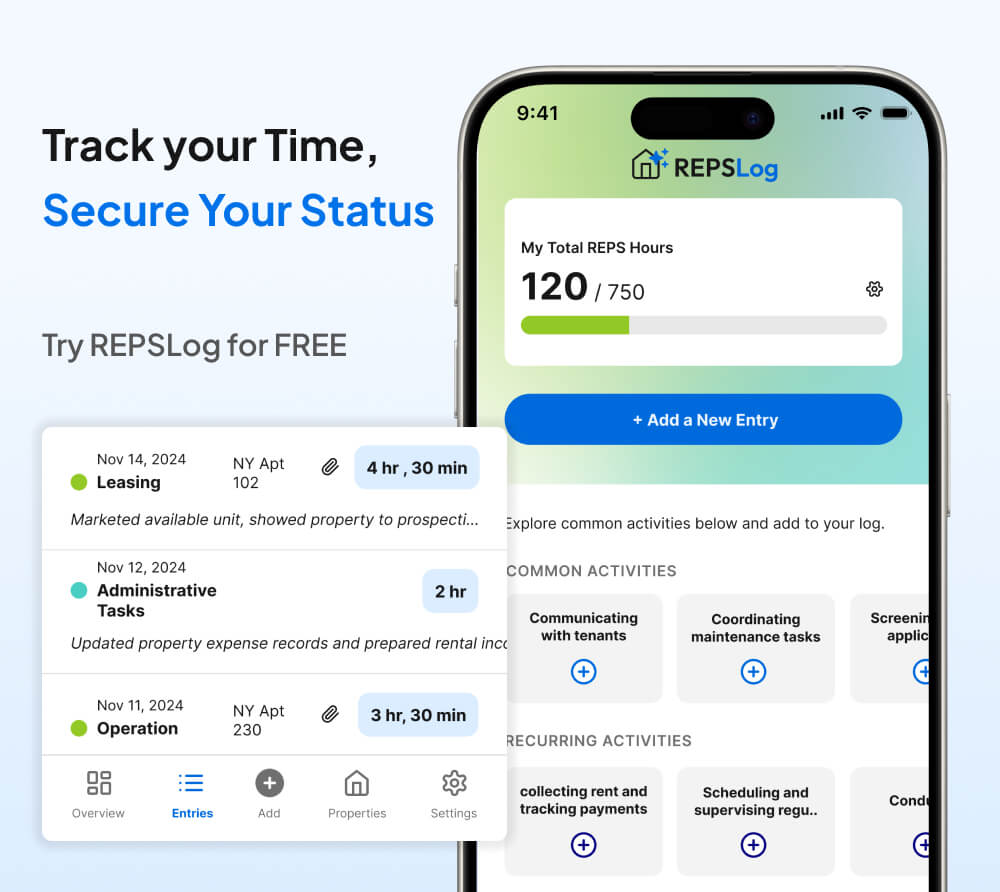
REPSLog includes built-in progress tracking that shows you exactly where you stand against your annual goal at any point in the year, so you never have to calculate this manually.
Using Calendar Sync to Capture Existing Activity
One of the most powerful features for beginners is calendar integration. If you’re already scheduling property-related appointments, contractor visits, tenant showings, and inspection trips in your calendar, you’re sitting on a goldmine of trackable data.
REPSLog can sync with your device calendar and surface real estate-related events, making it easy to convert calendar entries into logged hours. That contractor meeting you had on Thursday? It’s already timestamped in your calendar. Pull it into your tracking log, add the specific description and property tag, and you’ve created a documented entry that’s corroborated by an independent source (your calendar).
This approach solves two problems simultaneously: it reduces the chance of forgetting activities you actually performed, and it creates supporting evidence that aligns with your log entries. An IRS auditor who sees log entries that match calendar appointments has a much harder time questioning the validity of your records.
Common Beginner Mistakes to Avoid
Mistake 1: Rounding Everything to the Nearest Hour
If every entry in your log shows exactly 1.0, 2.0, or 3.0 hours, it screams estimation. Real activities take 35 minutes, or 1 hour and 22 minutes, or 2 hours and 45 minutes. Record the actual time. The variation itself is evidence of genuine tracking.
Mistake 2: Writing Vague Descriptions
“Property management” tells an auditor nothing. “Reviewed three lease renewal proposals and drafted counter-offer terms for Unit 4B at 220 Birch Lane” tells them everything. Your descriptions should answer: what did you do, where, and for which property?
Mistake 3: Forgetting to Tag Properties
An entry that says “coordinated with contractor” without specifying which property is incomplete. If you’re pursuing the STR loophole, untagged entries can’t be attributed to any specific property’s material participation calculation. They become useless.
Mistake 4: Logging Activities That Don’t Qualify
Spending three hours at a real estate investing conference feels productive, but general education doesn’t count toward REPS unless it’s directly tied to a property you own or are actively acquiring. The same goes for browsing Zillow listings you never pursue, watching market update videos, or reading real estate books. Track these separately if you want, but don’t include them in your REPS hour count.
Mistake 5: Stopping When You Hit 750 Hours
Some investors stop tracking the moment they pass 750 hours, thinking they’re done. This is a mistake for two reasons. First, you also need to pass the more-than-half test, and you won’t know your final non-real-estate hour count until December 31. Second, having a buffer above 750 is insurance. If an auditor disallows 100 hours of your claimed activities, you want headroom. Investors who track 850-900+ hours have a meaningful cushion.
Mistake 6: Not Tracking Non-Real-Estate Hours
If you’re pursuing REPS (not the STR loophole), the more-than-half test compares your real estate hours against your total personal service hours. You need to know both numbers. Track or estimate your W-2 hours, consulting hours, and any other trade or business activity hours alongside your real estate hours. Otherwise, you might pass 750 hours and still fail qualification because your other work hours exceeded them.
Mistake 7: Waiting Until Mid-Year to Start
Starting in July means you need to compress a full year’s worth of hours into six months. That’s 29 hours per week of real estate activity to hit 750 by December 31. For most investors, that’s not feasible. Start on January 1. If you’re reading this mid-year, start today, but adjust your expectations for this calendar year and plan to go the full twelve months next year.
Staying on Pace for 750 Hours
The 750-hour threshold translates to about 14.5 hours per week across 52 weeks. That’s roughly two hours per day, seven days a week. For an investor managing multiple properties, this is achievable. For someone with a single rental, it’s a stretch.
Here are strategies for maintaining pace:
Front-load Q1. Tax season generates natural bookkeeping and documentation work. Use January and February to build momentum and bank hours while activity is fresh.
Stack acquisition activities. If you’re considering purchasing a new property, the research, analysis, touring, and negotiation hours all count. A single acquisition process can generate 50-100 hours of qualifying time.
Batch property inspections. Schedule all your quarterly inspections within the same week. The concentrated activity creates a burst of hours that includes travel time, inspection time, documentation time, and follow-up coordination.
Document everything, including small tasks. A 15-minute phone call with your insurance agent about a policy renewal counts. A 10-minute review of a contractor invoice counts. These small entries add up to hundreds of hours over a year, but only if you actually record them.
Use transition periods strategically. Tenant turnovers, lease renewals, capital improvement projects, and seasonal maintenance (winterizing, spring cleanup) are hour-dense periods. Plan your property management calendar to spread these throughout the year rather than clustering them.
Setting Up Your System in REPSLog
REPSLog is purpose-built for exactly this kind of tracking. Here’s how to get started:
- Download the app from the App Store (iOS) or Google Play (Android), or use the web version at app.reps-log.com
- Add your properties with addresses and property types (long-term rental, short-term rental, development, etc.)
- Set up activity categories that match your actual work patterns (property management, maintenance, tenant relations, acquisition, etc.)
- Add participants if your spouse also performs real estate work on your properties
- Log your first entry with today’s date, the exact time spent, a specific description, and the associated property
- Enable calendar sync to pull in existing real estate appointments and convert them to tracked hours
- Check your progress dashboard weekly to stay on pace
The app generates detailed reports you can share with your CPA at tax time or produce for the IRS in an audit. Every entry is timestamped to demonstrate contemporaneous logging.
Frequently Asked Questions
How far back can I reconstruct hours if I didn’t start tracking from January?
You should not attempt to reconstruct a full year of hours from memory. However, you can use supporting evidence (calendar entries, emails, text messages, bank transactions, contractor invoices) to document activities you performed earlier in the year. The reconstruction should rely on independent records, not memory alone, and you should note that these entries were documented using supporting evidence rather than real-time tracking.
Can I use a spreadsheet instead of an app?
You can. A spreadsheet that captures the five required elements (date, time, description, property, category) is a valid tracking method. The disadvantage is that spreadsheets don’t create automatic timestamps proving when entries were created. A file’s “last modified” date doesn’t tell you when individual rows were added. A purpose-built app creates a timestamped audit trail for each entry.
How detailed do my descriptions need to be?
Detailed enough that a stranger could understand what you did without asking questions. “Called plumber” is too vague. “Called Mike at Reliable Plumbing (555-0123) to schedule repair of leaking bathroom faucet at 123 Oak St, Unit 2A; confirmed Thursday 2pm appointment” is thorough. Err on the side of more detail, especially in your first year.
Do I need to track my spouse’s hours separately?
Yes. If both spouses are performing real estate work, each spouse should maintain their own log. Spouse hours cannot be combined for REPS qualification (though they can be combined for material participation tests on individual rental properties under IRC Section 469(h)(5)). Each person’s hours must stand on their own.
What if I have a property manager handling day-to-day operations?
Your management and oversight hours still count, but they’ll be fewer. Track the time you spend reviewing manager reports, making management decisions, approving expenditures, and communicating with your manager. If you’re pursuing the STR loophole’s 100-hour test, remember that your manager’s hours count against you, since no one else can spend more time on the property than you do.
Should I keep supporting documents beyond my log?
Absolutely. Retain receipts, contractor invoices, email correspondence, text message threads, photos taken during inspections, mileage records, and calendar entries. You don’t need to organize these into a formal exhibit unless audited, but having them accessible corroborates your log entries and significantly strengthens your position.
Key Takeaways
- Every log entry needs five elements: date, time spent, specific activity description, property association, and activity category
- Contemporaneous means logged the same day, not reconstructed weeks or months later
- Build a daily two-minute logging habit and pair it with weekly and monthly reviews to stay on pace
- 750 hours breaks down to approximately 14.5 hours per week or two hours per day, achievable for multi-property investors
- Calendar sync can surface activities you’ve already performed but might forget to log
- Avoid common traps: rounding hours, vague descriptions, missing property tags, counting non-qualifying activities, and stopping at exactly 750 hours
- Your tracking system is an investment that protects every dollar of tax deductions you claim under REPS or the STR loophole
Start Logging Today
The best tracking system is the one you actually use consistently. REPSLog is designed to make daily logging effortless: log from your phone in seconds, categorize by property and activity type, sync with your calendar, track progress toward your annual goal, and generate audit-ready reports when you need them. Available on iOS and Android, or on the web at app.reps-log.com. Start tracking your hours free →.
This article is for educational purposes only and does not constitute tax or legal advice. REPS qualification and material participation requirements involve complex, fact-specific analysis under IRC Section 469. Consult a qualified tax professional for guidance tailored to your individual circumstances.
Do this in REPSLog
- Calendar Integration (Google, Microsoft 365, device): turn past Google, Microsoft 365 or device calendar events into logged hours.
- CSV Import: bring a spreadsheet log into REPSLog on the web app.
- Backdate Entries: log past work on the date it happened, back to 2020.
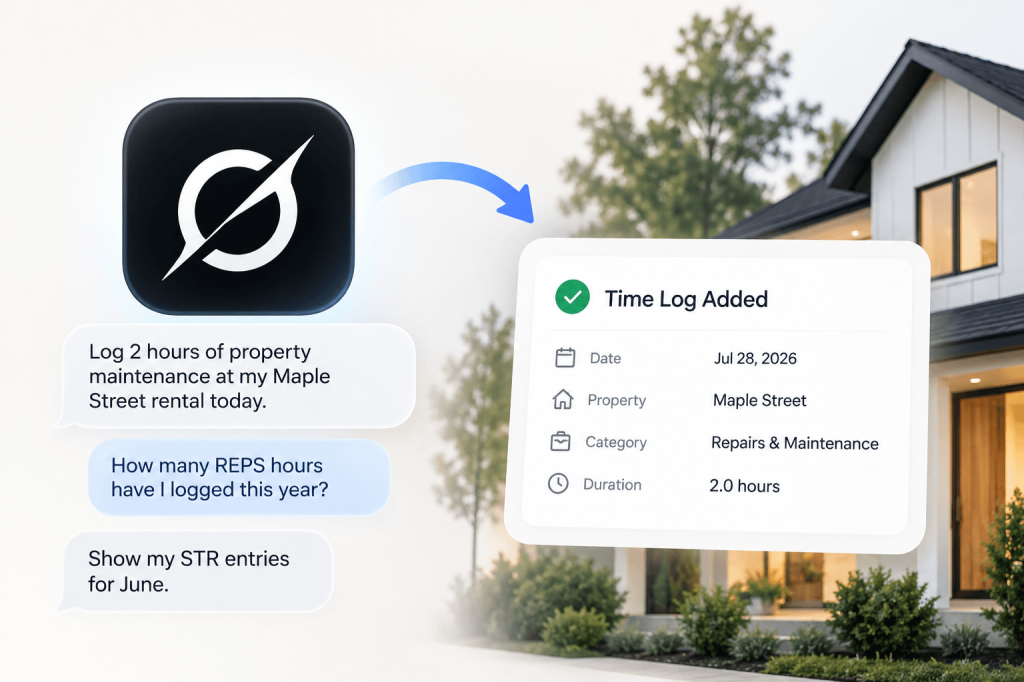
- Voice Logging: dictate an entry; duration, property and date are picked out as you speak.
Step by step in the Help Center: how to use it. Try REPSLog free for 14 days on iPhone, Android or the web app.