If you have ever lost ten minutes at the end of a long day trying to remember exactly what you did, where, and for how long before you could log it, you are not alone. Real Estate Professional Status (REPS) tracking lives or dies on contemporaneous, specific documentation — but the tools for creating that documentation have traditionally meant opening an app, tapping through several fields, and doing it all over again tomorrow.
REPSLog just removed a step. You can now connect REPSLog to ChatGPT and log, review, and analyze your hours just by describing your day in plain English. This post walks through what the REPSLog app actually does, how to connect it, and the specific ways real users are putting it to work — from logging a full day of activity in one message to asking it to break your year down by property, quarter, or participant.
What Is the REPSLog ChatGPT App?
It is a direct connection between your REPSLog account and ChatGPT (technically, an MCP connector). Once connected, you can type a sentence like “Log 90 minutes of bookkeeping at the Maple St condo today” and ChatGPT creates the entry in your real REPSLog account — the same account behind your iOS, Android, and web app data. Nothing is duplicated into a separate system, and anything you log through ChatGPT shows up in the REPSLog app immediately, exactly like an entry you typed yourself.
This is a REPSLog Premium feature, and it is available today — no waitlist.
Why This Matters Whether You’re Chasing REPS, the STR Loophole, or Material Participation
The 750-hour rule is unforgiving — more than 750 qualifying hours in the year, or you do not qualify, no partial credit. The same math applies if REPS isn’t even your goal: STR-loophole investors still have to prove material participation, commonly by clearing more than 500 hours, or more than 100 hours with no one else (a co-host, contractor, or property manager) participating more than they did. In every version, the failure mode is the same — it is rarely a shortage of hours, it is a lack of contemporaneous documentation written down close to when the work happened.
Every extra step between doing the work and logging it is a chance to put it off — which usually means never. Talking to ChatGPT removes that friction: no app to open, no fields to tab through, just describing what happened in your own words.
Connecting REPSLog to ChatGPT
Connecting takes about a minute:
- In ChatGPT, open the Apps & Connectors area (under Settings, or from the + menu in a chat).
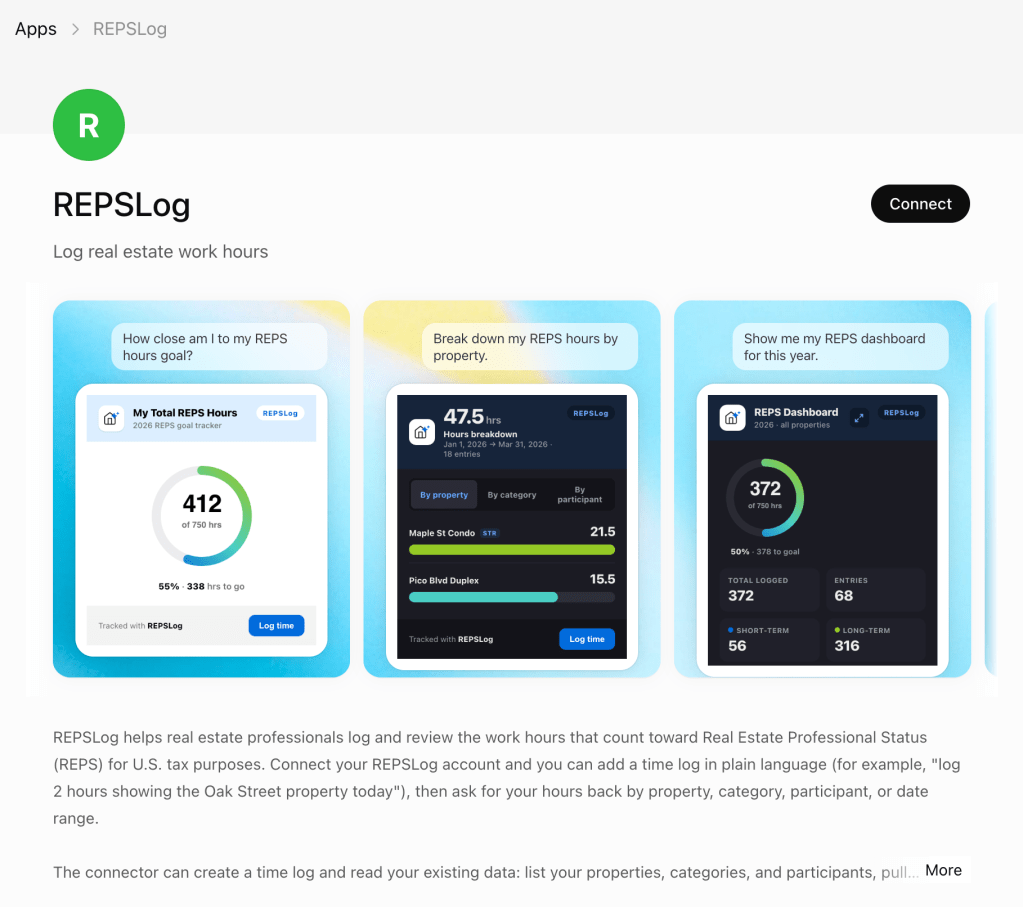
- Search for REPSLog, or go straight to it: Open REPSLog in ChatGPT.
- Choose Add (or Connect), then sign in with your existing REPSLog email and password. You are never sharing your password with ChatGPT — you sign into REPSLog directly, and REPSLog confirms it is really you.
- Once ChatGPT shows REPSLog as Connected, you are ready to go.
If your ChatGPT version does not show REPSLog in the directory yet, you can add it manually with the connector address api.reps-log.com/api/mcp from the same Connectors settings screen.
View Help Docs
What You Can Actually Do With It
Here is where it gets useful. Below are real patterns, with example prompts you can copy almost word-for-word.
Log a single entry, without opening the app
The simplest and most common use: describe the work as it happens.
“Log 90 minutes of bookkeeping at the Maple St condo today.”
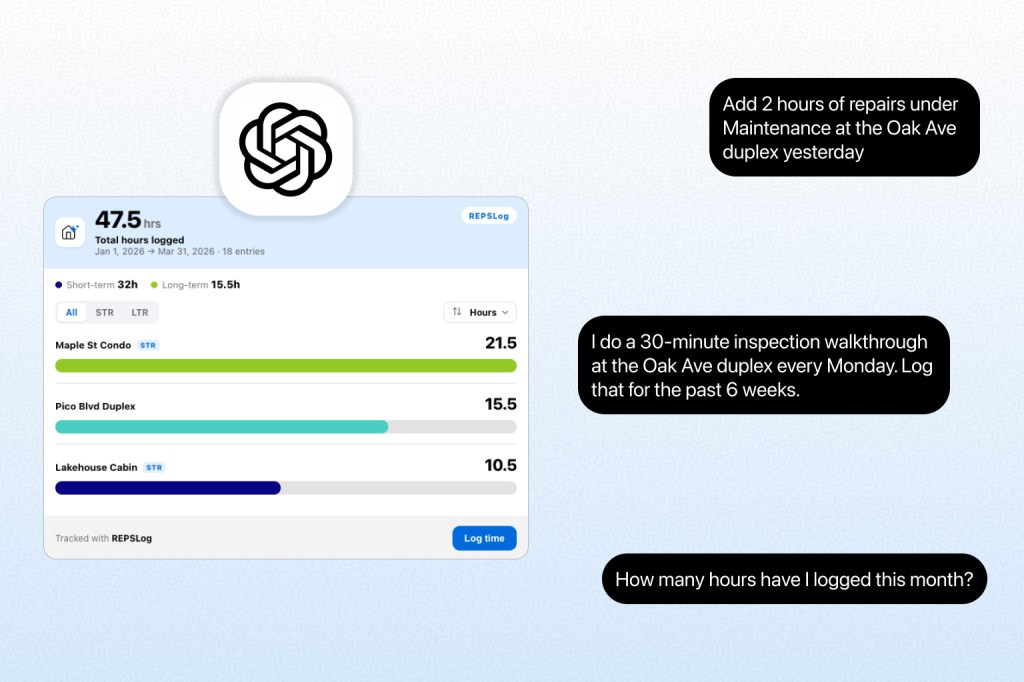
“Add 2 hours of repairs under Maintenance at the Oak Ave duplex yesterday.”
“I spent 45 minutes on a tenant call for the Birch Lane house this morning.”
REPSLog looks up your actual properties and categories by name, so “Maple St condo” resolves to the real property in your account — and if a name is ambiguous, it asks you to confirm rather than guessing.
Log a whole day (or a backlog) in one message
You do not need to send one message per entry. Because ChatGPT can take several actions in a single reply, you can describe an entire day — or catch up on a few days you fell behind on — in one shot:
“Log three entries: 2 hours of bookkeeping today at the Maple St condo, 1 hour of a tenant call yesterday at the Oak Ave duplex, and 45 minutes of property research on the Cedar Court rental last Tuesday.”
ChatGPT creates each entry individually, in your account, and confirms all three back to you. This is especially useful if you only sit down to document your real estate work once or twice a week instead of daily — describing the backlog in one message still beats reconstructing it from memory months later.
Handle recurring or repeating activities
If you do the same qualifying task on a regular cadence — a weekly bookkeeping session, a recurring property walkthrough — just describe the pattern and let REPSLog create each occurrence:
“Log 1 hour of bookkeeping for the Maple St condo on the last four Fridays.”
“I do a 30-minute inspection walkthrough at the Oak Ave duplex every Monday. Log that for the past 6 weeks.”
There is no separate “recurring entry” button to configure — you simply describe the repetition, and REPSLog creates the individual, correctly-dated entries behind the scenes. Each one lands in your log as its own timestamped record — specific, entry-by-entry documentation instead of one lump-sum estimate, the same standard we walk through in our example REPS log breakdown of what the IRS actually looks for.
Ask for real answers, not just raw numbers
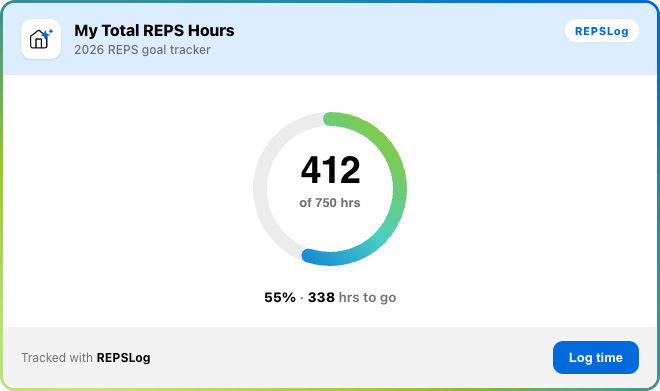
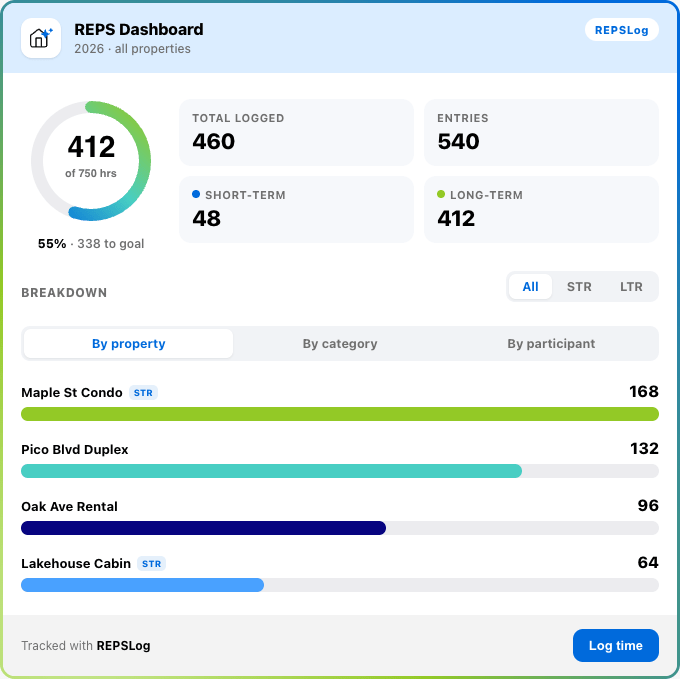
This is where REPSLog earns its keep beyond logging. Because it can read your actual hours summaries, you can ask genuinely useful questions about your progress and get back a real answer — often as a visual summary card right inside the chat:
“How many material-participation hours have I logged this year?”
“Summarize my STR hours by property for Q1.”
“Compare my short-term vs long-term rental hours this year.”
“Break down my total hours by participant for 2026 so far.”
“What’s my total logged time between January 1 and March 31?”
Because these summaries respect the same filters as your entries — date range, property, category, participant, and short-term vs. long-term rental — you can combine them into one specific question: “Summarize my Maintenance hours at the Oak Ave duplex this quarter.” No spreadsheet pivot tables, no exporting to Excel first. Whichever of the 5 best methods for tracking your REPS hours you started the year with, this is the fastest way yet to see where you actually stand — against 750 hours, the 500-hour material participation test, or the 100-hour test.
Turn messy notes into structured entries
ChatGPT can read a file or a pasted block of text before it ever talks to REPSLog. That means you can hand it something unstructured — a running list of activities you jotted in Notes, an email thread with a contractor, a paragraph you dictated into your phone on the drive home — and ask it to convert that into proper entries:
“Here’s my rough list of what I did this week [paste or upload]. Please log each item as a separate REPSLog entry with the right property and category.”
ChatGPT reads through the material, identifies each distinct qualifying activity, matches it to your real properties and categories, and logs the entries one by one through REPSLog, asking you to clarify anything it cannot confidently resolve (a property it does not recognize, an ambiguous duration). It will not invent hours you did not describe, and it always tells you what it created so you can double-check before moving on — your log stays exactly as accurate as what you gave it.
Pull from the other tools you already have connected
If you have connected other apps to ChatGPT — a project tracker, a notes tool, your accounting software, your inbox — you can ask it to pull from those in the same conversation and turn the results into REPSLog entries, without ever leaving the chat:
“Look at my Asana tasks completed this week on the Maple St project and log each one as a REPSLog entry.”
“Check Notion for this month’s property inspection notes on the Oak Ave duplex and log the time I spent on each.”
“Go through my QuickBooks activity for the Cedar Court rental this quarter and log the bookkeeping hours.”
A word of caution: each of those is a separate, independent connector — Asana, Linear, Notion, ClickUp, Airtable, Intuit QuickBooks, and Outlook Email all work differently, and REPSLog has no visibility into and no control over how any of them connect to ChatGPT, what data they hand back, or how completely or accurately they sync. Treat anything pulled in from another tool the same way you would a rough note: review what actually got logged before you rely on it for your documentation.
Review, correct, and clean up your log
Mistakes happen — a duplicate entry, a wrong category, a duration that needs adjusting. You can fix these the same way you created them:
“Change yesterday’s bookkeeping entry to 2 hours.”
“Update my last Maple St condo log to the Maintenance category.”
“Delete the duplicate entry I just created.”
Deletions are permanent, so REPSLog will confirm which entry you mean before removing it — and any change syncs to the REPSLog app immediately, where you can always edit or delete it again if needed.
A Few Things Worth Knowing
Your properties, categories, and participants stay read-only through the REPSLog app — if you ask it to “create a new property” or “rename a category,” it will point you back to the REPSLog app to make that change, keeping your account setup consistent no matter which surface you’re logging from. And your connection is scoped entirely to your own account: ChatGPT and REPSLog can see and change only your data, never anyone else’s, and you can disconnect at any time from ChatGPT’s Connectors settings to revoke access immediately.
Key Takeaways
- REPSLog now connects to ChatGPT, letting you log, review, and analyze your hours in plain English — a Premium feature, available now.
- Logging is conversational, not form-based. Describe the work, the property, and the duration, and REPSLog creates the entry in your real account.
- You can log several entries — or a repeating pattern — in a single message, without a dedicated bulk-entry or recurring-entry button.
- Summaries and breakdowns turn your log into answers: by property, by participant, by short-term vs. long-term rental, or against your 750-hour, 500-hour, or 100-hour target, often shown as a visual card.
- You can hand it messy notes or a document and ask it to convert the contents into structured, categorized entries.
- You can also pull from other tools you’ve connected to ChatGPT — Asana, Notion, QuickBooks, your inbox, and more — though REPSLog has no control over how those connectors behave, so review what gets logged.
- Your setup (properties, categories, participants) stays managed in the app, and your data stays scoped to your own account with revocable access.
Frequently Asked Questions
Do I need REPSLog Premium to use REPSLog with ChatGPT?
Yes. The ChatGPT connection is a REPSLog Premium feature. If you are on the free or Starter plan, the connection will not complete until you upgrade from Settings in the app.
Do I need a paid ChatGPT subscription to use this?
No. Connecting REPSLog works with a free ChatGPT account — the only subscription that’s required is REPSLog Premium.
Does logging through ChatGPT count the same as logging in the app?
Yes. Entries created through ChatGPT are written to the exact same REPSLog account and appear in the app immediately, with the same property, category, and participant fields as any entry you create manually.
Can REPSLog create new properties or categories for me?
No — properties, categories, and participants are read-only through the REPSLog app by design, so your account setup stays consistent. If a prompt would require a new one, REPSLog will ask you to add it in the app first, then continue logging.
What happens if I mention a property or category that doesn’t exist yet?
REPSLog looks up your real properties and categories before creating an entry. If a name is ambiguous or doesn’t match anything on file, it will ask you to confirm or choose from your actual list rather than guessing.
Is my data safe if I connect ChatGPT to REPSLog?
Your connection is scoped to your own REPSLog account only — ChatGPT never receives your REPSLog password, and it cannot see or modify anyone else’s data. You can disconnect at any time from ChatGPT’s Connectors settings, which revokes access immediately.
Will deleting an entry through ChatGPT really delete it for good?
Yes — deletions are permanent, whether you make them in the REPSLog app or through ChatGPT. REPSLog will confirm which entry you mean (referencing its date and property) before deleting it, since this action cannot be undone.
Try It With Your Own Hours
You are already doing the qualifying work — showings, maintenance calls, bookkeeping, inspections. The only question is whether it gets documented in the moment or reconstructed later. Connect REPSLog to ChatGPT and try logging your next hour the moment it happens, in your own words.
Do this in REPSLog
- ChatGPT Integration: log and review hours by chatting with ChatGPT.
- Claude Integration: the same, from Claude.
- MCP Connector: connect any MCP-capable assistant to your log.
Step by step in the Help Center: how to use it. Try REPSLog free for 14 days on iPhone, Android or the web app.