If you host on Airbnb or Vrbo and you are using the short-term rental loophole, your hours are tied to guest stays. The turnover happened after a checkout. The restock happened before a check-in. The messages went back and forth around a reservation. Those stays already sit in your booking calendar with dates, and REPSLog can read that calendar. This post explains what Booking Calendar Sync does with a stay, how to connect a site, and why a stay is an anchor for your hours rather than an hour itself.
New to the STR loophole? Start with our STR loophole guide.
Why guest stays matter for the STR loophole
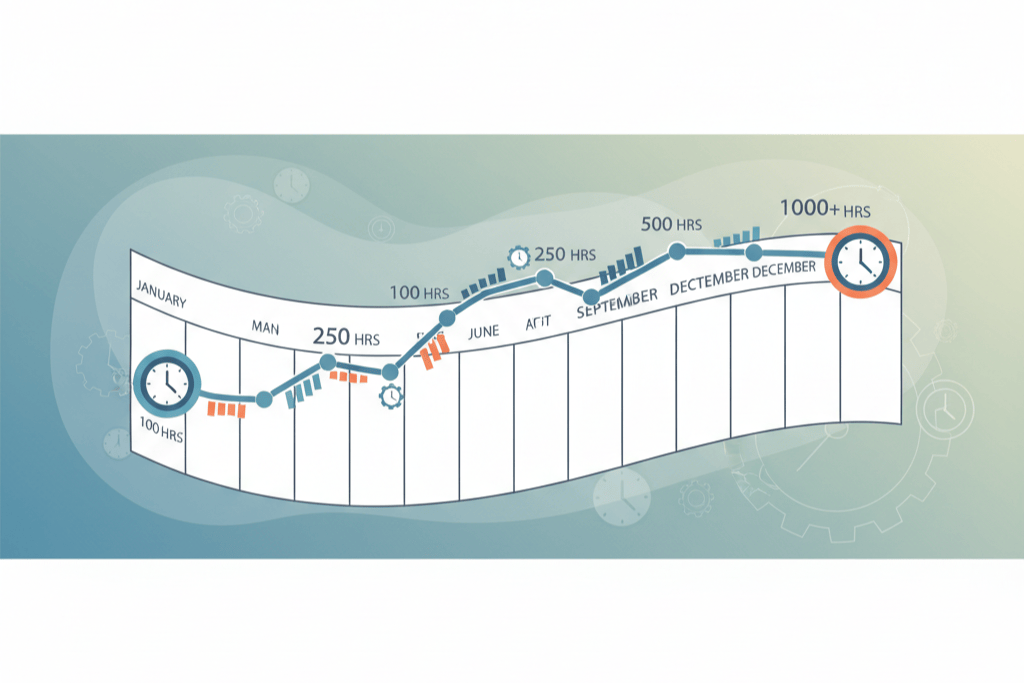
The STR loophole works per listing. To treat a short-term rental as non-passive without qualifying for Real Estate Professional Status, you need to materially participate in that rental, and the test most hosts use is the 100-hour test: at least 100 hours in the year, and no other individual (your cleaner, your co-host, your property manager) putting in more than you. If your average guest stay is seven days or fewer, the activity is not treated as a rental activity under the passive loss rules, which is what opens the door. The 7-day rule and the 100-hour versus 500-hour choice are covered in their own posts.
What an examiner wants to see is a contemporaneous record: the date the work happened, how long it took, which property, and who did it. A stay gives you three of those four for free. The property was occupied on those dates, so the cleaning, the restocking and the guest communication happened around them. Logging from the stay ties each entry to a real, dated event instead of a memory reconstructed in March.
What Booking Calendar Sync does
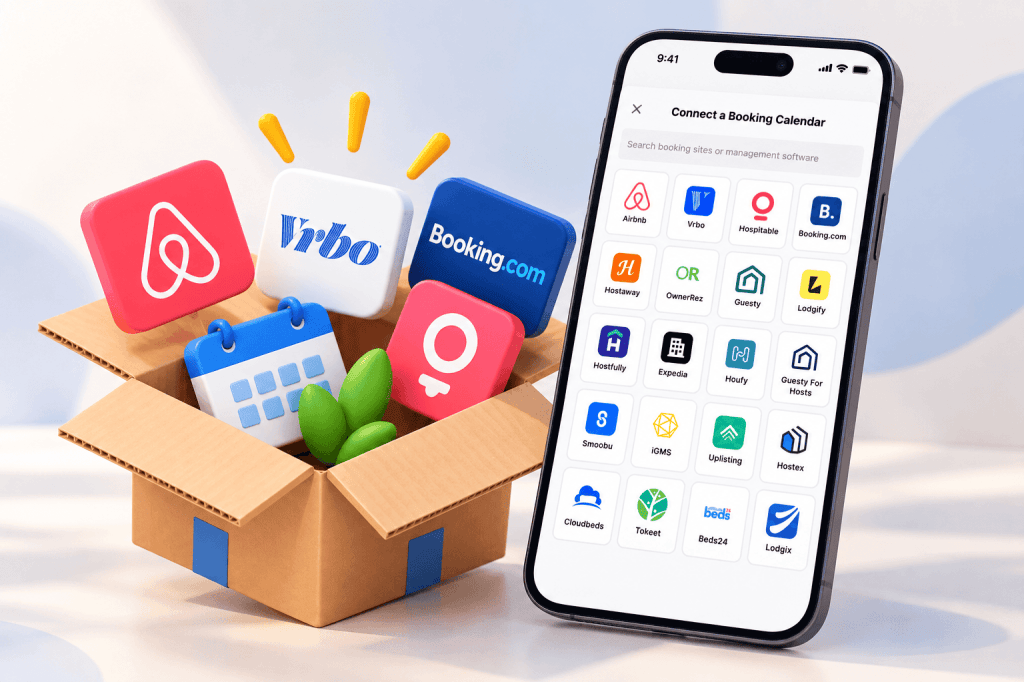
Booking Calendar Sync reads the iCal export link that every major booking site publishes and shows your guest stays on the REPSLog calendar. The Connect a Booking Calendar screen lists 25 sites: Airbnb, Vrbo, Hospitable, Booking.com, Hostaway, OwnerRez, Guesty, Lodgify, Hostfully, Expedia, Houfy, Guesty For Hosts, Smoobu, iGMS, Uplisting, Hostex, Cloudbeds, Tokeet, Beds24, Lodgix, Agoda, Plum Guide, Hosthub, Smily and Your.Rentals, plus an Other iCal tile for any site that gives you a standard .ics link.
Each site has its own numbered instructions inside the app for finding the export link, with a link to the site’s help article where one exists. Five sites (Airbnb, Hostaway, Lodgify, Smoobu and Cloudbeds) only publish the link on their website, and the phone tells you so and offers Open in a browser.
Once connected, every stay appears as a Guest stay row with check-in and check-out dates, a badge for the site and the property name. Blocked dates a site exports show as Blocked (not available). Stays show up on the Calendar page, in the Overview’s Recent Calendar Events card, and as a multi-day bar on the web app. Feeds refresh on their own about every four hours, or on demand.
How a stay becomes hours
A stay is not work, and REPSLog never turns a booking into an entry by itself. What it does is suggest. Tap a stay and REPSLog lists the ten activities hosts most often log around one:
- Cleaning & Turnover
- Restocking Supplies & Amenities
- Managing Guest Communication
- Reviewing Guest Feedback & Ratings
- Property Inspection & Walkthrough
- Laundry & Linens
- Responding to Guest Issues
- Preparing & Staging the Property
- Coordinating Cleaning & Turnover
- Handling Guest Check-ins & Check-outs
Pick one and the entry form opens prefilled with the activity, a typical duration, the category and the property. You review it, fix the duration to what actually happened, set who performed it, and save. Activities already logged for that stay move to an Already added list so you do not log the same turnover twice. For a past stay, the entry is dated to the first day of the stay; for a current or upcoming one, today. Never in the future.
That last part is the whole point. The suggestion carries the date and the property, and you supply the time and the person. The result is an entry that lines up with a reservation an examiner can see in your Airbnb or Vrbo account.
Keeping the cleaner’s hours separate
The 100-hour test has a second half: nobody else can put in more hours on that listing than you. That means you need your cleaner’s and co-host’s hours on the record too, kept apart from yours. When the cleaner did the turnover, log the suggested Cleaning & Turnover entry with Cleaner as the participant (Cleaner and Property Manager are built in; a co-host is a custom participant you add once). Their hours appear in that property’s breakdown next to yours and are never added to your total. Why that comparison matters is the subject of why you must track contractor hours for the STR loophole.
Because each feed is assigned to a property, the hours sort themselves by listing from the first entry. Each listing’s counter on the STR overview fills as you log, which is what STR Loophole Tracking is built around, and the per-property totals your CPA asks for at year end are already there.
How to connect a booking calendar
- Open Settings, then Booking Calendars, or tap Connect a Booking Calendar on the Calendar page (on the web app, the Calendar Integration page).
- Choose your site from the grid, or search for it.
- Follow the on-screen steps to copy the export link from the booking site. Use Open in a browser if the link is website only.
- Paste the link, name the calendar, optionally pick the property, and tap Connect Calendar. The stays import in a few seconds.
- Open the Calendar page. Your stays sit alongside your other events.
- Tap a stay, choose an activity from Add Related Entries, review the prefilled entry and save it.
Screenshots for every step are in the Help Center article How to Connect Booking Calendars to REPSLog.
Good to know
- Connecting, refreshing and viewing stays need Premium or an active free trial. Anyone can open the Booking Calendars page, and if your subscription lapses you can still see and remove your feeds.
- Works on iPhone, Android and the web app.
- Privacy: REPSLog stores only the dates, whether it is a stay or a block, and the reservation code where the site includes one. Guest names, emails, phone numbers and occupancy are discarded. The feed link is encrypted at rest.
- No cap on feeds: connect as many booking calendars as you have listings. One feed per site per property; a second Airbnb feed on the same property is rejected as a duplicate.
- Airbnb and Hostaway only export upcoming stays. REPSLog keeps every stay it has imported, so your history survives after the feed drops it.
- Blocks you set yourself (Booking.com, Cloudbeds and Lodgix export them) appear on the calendar but never suggest entries.
Frequently asked questions
Does REPSLog log my hours automatically from Airbnb?
No. A booking is not work. REPSLog shows the stay and suggests the activities hosts log around one; you confirm the duration and who did it before anything is saved.
Do the suggested hours count toward the STR loophole?
REPSLog records the hours with the date and property. Whether a given activity counts toward material participation is a question for your CPA.
Can I connect more than one Airbnb listing?
Yes. Each listing at a different property gets its own feed, and the hours stay separated per listing.
What about my cleaner’s hours?
Log them as entries with Cleaner as the participant. They show under the property’s breakdown, separate from your total, which is exactly what the “more than anyone else” comparison needs.
Is my guest data safe?
Only dates, stay-or-block status and the reservation code are kept. Guest names and contact details are never stored.
Related reading
- REPS for Airbnb and Vrbo hosts: which path to take
- The 100-hour material participation test for short-term rentals
- The short-term rental tax loophole explained
Try REPSLog free for 14 days on iPhone, Android or the web app.
This article is general information, not tax advice. Talk to your CPA about which activities count toward material participation for your properties.