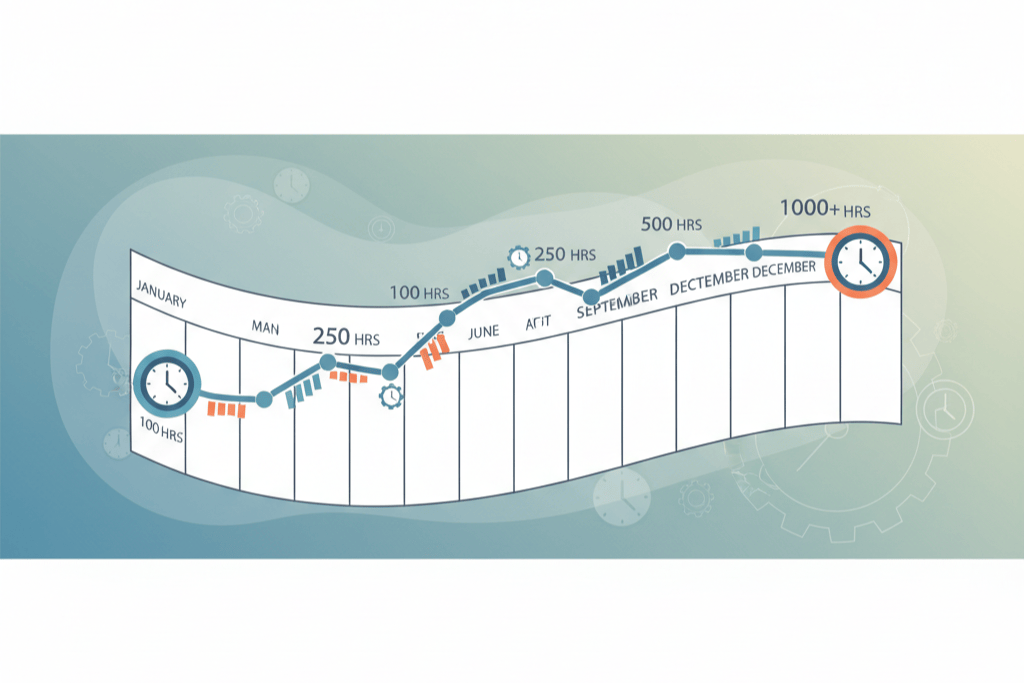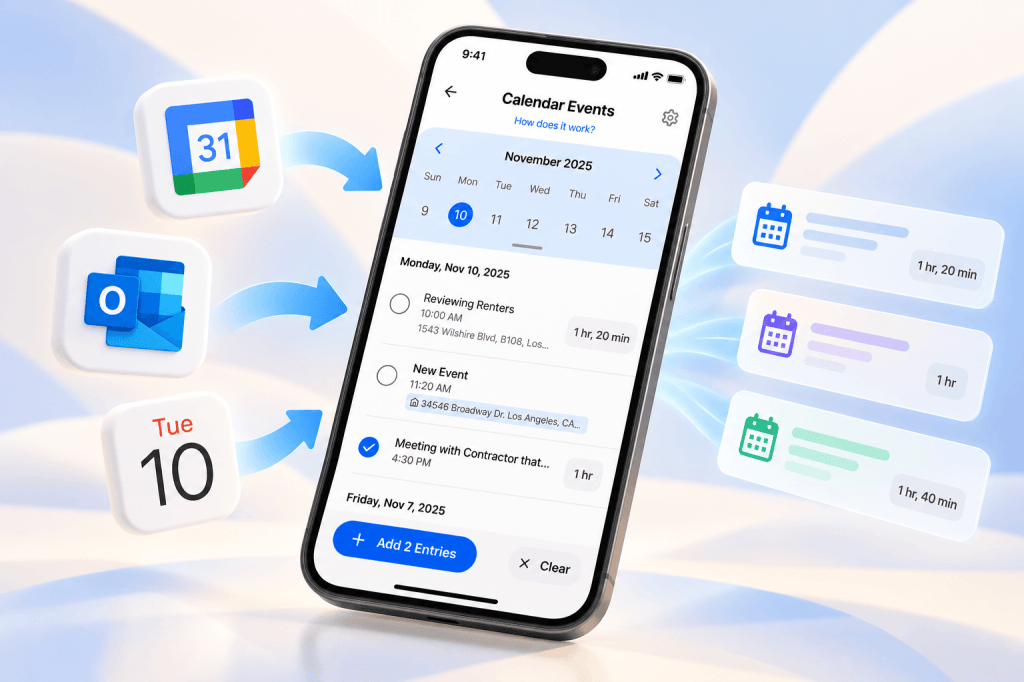
If you scheduled the showing, the contractor walkthrough or the call with your property manager, it is already on your calendar with a time and a place. That makes your calendar the most contemporaneous record you own, created before the work happened rather than reconstructed after. Calendar Integration in REPSLog reads that calendar and turns past events into entries, so the log matches the calendar instead of memory months later.
Why calendar events are strong evidence
For the 750-hour REPS test and the 500-hour or 100-hour material participation tests, an audit looks for consistency: hours that line up with other evidence. Emails, invoices and calendar appointments are the classic corroboration, and the contemporaneous log post explains how courts have weighed them. An entry whose date, duration and property were carried over from a calendar event is consistent with that event by construction. If you have gaps in your log, the forgot-to-log recovery guide starts with your calendar for the same reason.
Two ways REPSLog reads your calendar
Your device calendar (phone only). On iPhone, REPSLog reads the Calendar app through the permission you grant. If you use Google Calendar, Outlook or Exchange, sync that account with Apple Calendar in your iPhone settings first. On Android, REPSLog reads the phone’s calendar (Google Calendar). Nothing leaves your device unless you turn an event into an entry.
A connected Google or Microsoft account (phone and web). Tap Connect Google Account or Connect Microsoft Account, sign in, and REPSLog fetches your events whenever you open the calendar. This is the only option on the web app, where a Calendar item appears in the sidebar once an account is connected. You can connect more than one account, and you can use both methods at once.
The Calendar page shows events in a weekly layout; on the web you can switch between month, week, day and list. The gear icon opens Calendars to Show, where you tick which calendars REPSLog pulls from. A calendar kept just for real estate work keeps the list short. The Overview also has a Recent Calendar Events card listing up to five unlogged events from the last 30 days.
One event, one entry. Or many at once.
Select an event and REPSLog opens the entry form prefilled with the event name, description, duration and property. The property is matched automatically when the event’s location is one of your property addresses; otherwise you pick one when you save. Review, edit, save.
Catching up on a month? Select several past events and tap Add N entries. If some have no property, REPSLog asks whether to assign them all to one property, assign individually, or mark them Unassigned STR or Unassigned LTR. The entries are written in one go. Only past events can be added; future events are visible but wait until the day has passed.
How to sync your calendar
- On the phone, tap Sync My Calendar under Recent Calendar Events on the Overview, or open Settings, then Calendar Integration (also the route on the web app).
- Tap Enable Device Calendar and allow full access (phone only), or tap Connect Google Account or Connect Microsoft Account and sign in.
- Tap the gear icon and pick which calendars to show.
- Open the Calendar page. Past events are ready to log.
- Tap one event to open the prefilled entry form, review and save. Or select several past events and tap Add N entries.
- The new entries appear in your log and dashboard totals, and the events are marked as added.
Step-by-step screenshots are in the Help Center article How to Use the REPSLog Calendar Integration to Sync Calendar Events.
For short-term rental hosts
The calendar you already keep holds the STR loophole’s evidence: the turnover blocked out after a checkout, the supply run, the call with the co-host. Turn those events into entries and the hours land on that property’s 100-hour row. Guest stays themselves come from Booking Calendar Sync, which reads your Airbnb, Vrbo or other booking site’s iCal link and shows stays on the same calendar, so a host sees stays and turnover appointments side by side. How the two fit together is in REPS for Airbnb and Vrbo hosts.
Good to know
- Connecting a Google or Microsoft account and adding calendar events as entries require Premium or an active free trial.
- The device calendar is phone only. Google and Microsoft accounts work on iPhone, Android and the web app.
- Privacy: device calendar events are read on the phone and not sent to REPSLog unless you turn one into an entry. For connected accounts, REPSLog holds an encrypted credential to fetch events when you open the calendar; the events are not stored.
- Changing a calendar event after logging it does not change the REPSLog entry. Edit the entry in your log.
- New events can take an hour or two to appear because of Apple or Google sync.
- Prefer to enter a past day by hand? Backdate Entries lets you set any date from January 1, 2020 to today on the ordinary entry form.
Frequently asked questions
Does REPSLog work with Google Calendar?
Yes. Connect your Google account in Settings, Calendar Integration, on iPhone, Android or the web app, or sync Google Calendar to your phone’s calendar and enable the device calendar.
Does it work with Outlook or Microsoft 365?
Yes, through Connect Microsoft Account, on all three platforms.
Does every calendar event become an entry?
No. Events are shown; you choose which ones to log, one at a time or in bulk. Nothing is written until you save.
Can I log an event from next week?
Not until it has happened. Future events are visible but cannot be added.
Is my calendar stored on REPSLog’s servers?
No. Events are fetched when you open the calendar and are not stored. Only the entries you create are saved.
Related reading
- How to start tracking your REPS hours: a step-by-step guide
- The 5 best methods for tracking your REPS hours
- Starting to track mid-year
Try REPSLog free for 14 days on iPhone, Android or the web app.
This article is general information, not tax advice. What counts toward each test is for your CPA to say.